AI AGENT Analysis · Diagnosis · Recommendations

Ask a question. Get a diagnosis.
Act on it.

Keypup's AI Agent is a data analyst that works on your real engineering data. It builds the dashboard you need, explains what the numbers say, finds the cause behind them and recommends actions you can track.

hq.keypup.io
Live
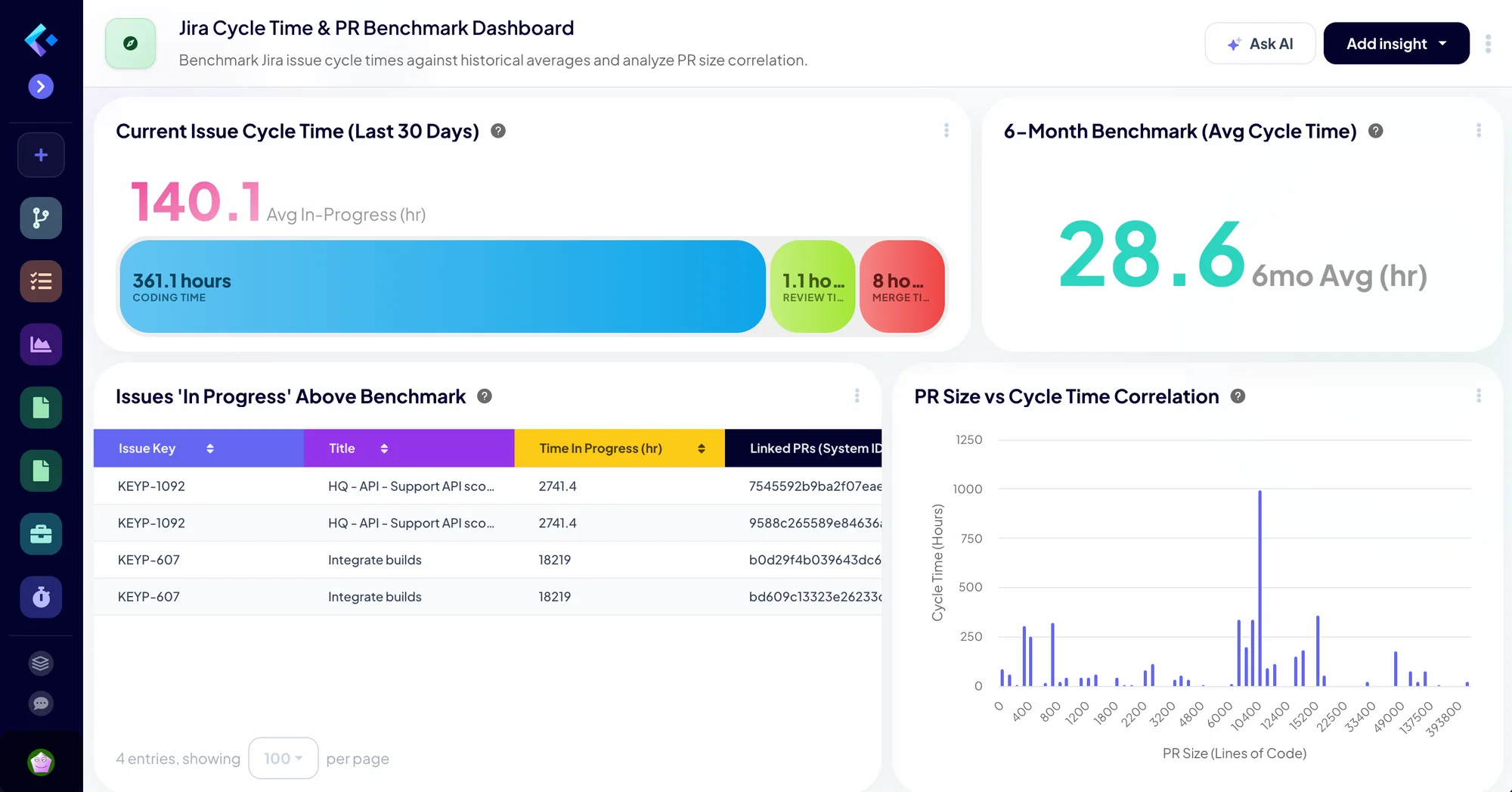
Jira cycle time and PR benchmark dashboard in Keypup
What the agent does

Build. Analyze. Diagnose. Recommend.

Four capabilities that form one loop: from the question you ask to the action you take, and back to the dashboard that proves it worked.

01 Build

From a question to a full dashboard

Describe what you want to understand. The agent creates the dashboard: it finds relevant templates in the library and your collections, configures each insight, writes custom formulas, sets drill-downs and dashboard filters, and adds notes explaining what is measured.

Try "Benchmark our Jira cycle time against the last 6 months and correlate it with PR size"
02 Analyze

Your results, explained in plain English

Click Analyze on any dashboard. The agent reads the results of every insight and tells you what they say: trends, outliers, how metrics move together, and which numbers deserve attention.

Try "Analyze this dashboard and tell me what changed this quarter"
03 Diagnose

From the symptom to the cause

It goes past the average: the workflow stage where work stalls, the stale issues inflating a cycle time, the review load concentrated on one person, the untracked work slowing the roadmap.

Try "Why is our cycle time so far above the benchmark?"
04 Recommend & track

Actions you can measure

It proposes concrete actions, such as WIP limits, smaller pull requests or a better spread of reviews. Ask, and it builds the dashboard that tracks whether they worked over the next sprints.

Try "Build a dashboard to track whether smaller PRs reduce our cycle time"

The tracking dashboard becomes the next question: the loop starts again, sprint after sprint.

Inside Keypup

Built into every screen.

The agent is available wherever you work with data: on an empty dashboard, beside any dashboard, and inside the insight editor.

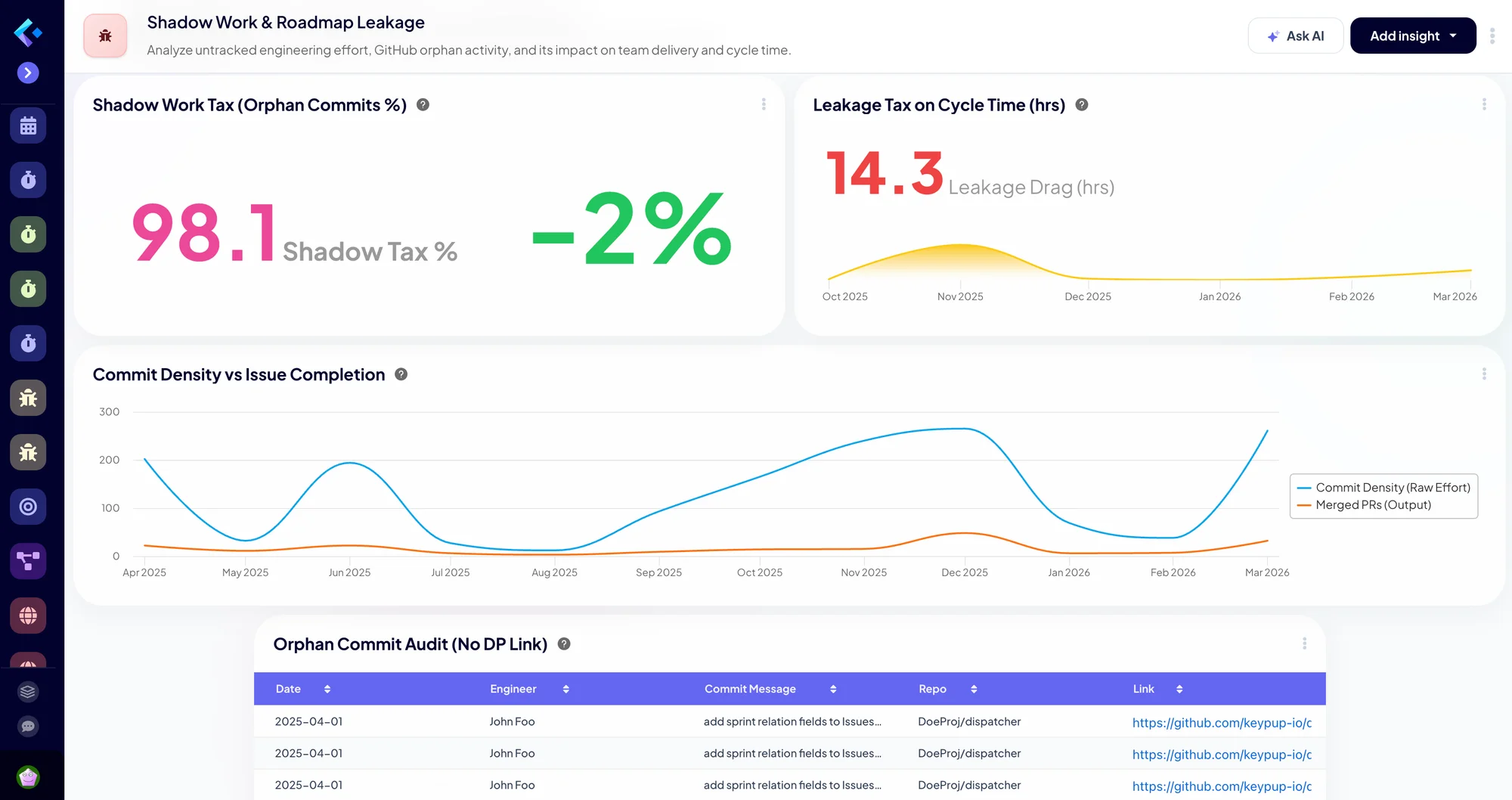
A dashboard built by the Keypup AI Agent from a prompt
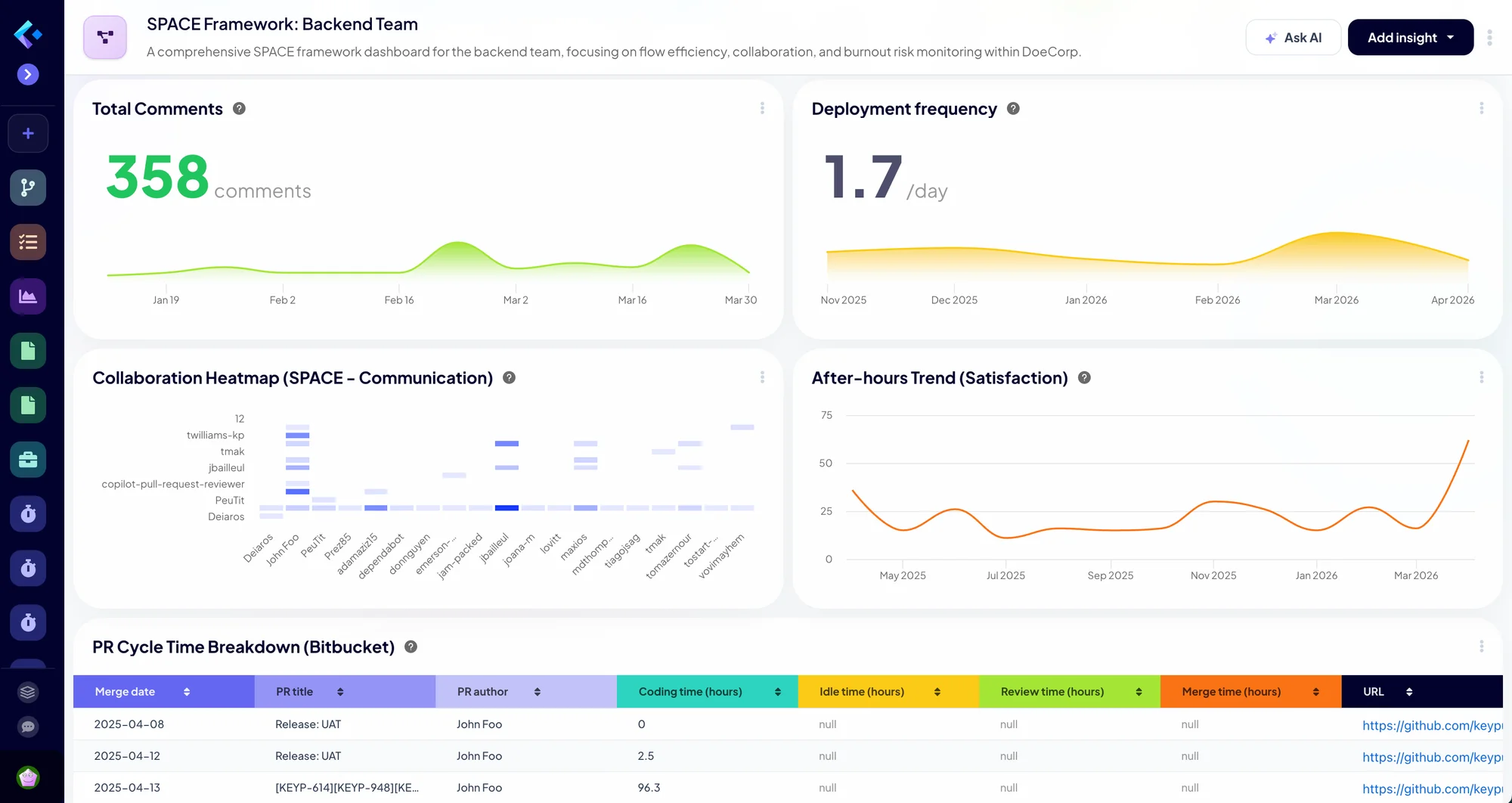
A SPACE framework dashboard analyzed by the Keypup AI Agent
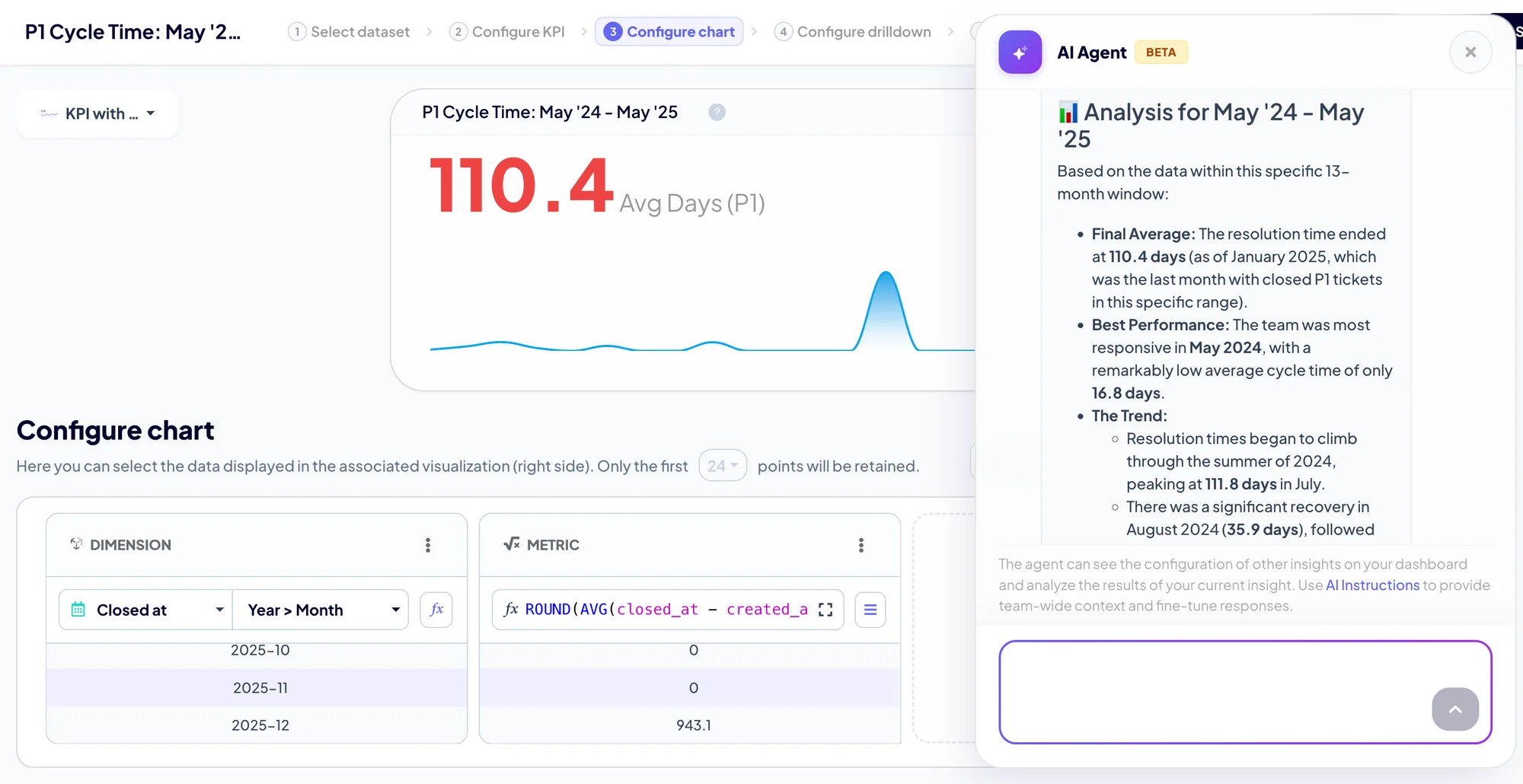
The AI Agent configuring an insight in the Keypup insight editor
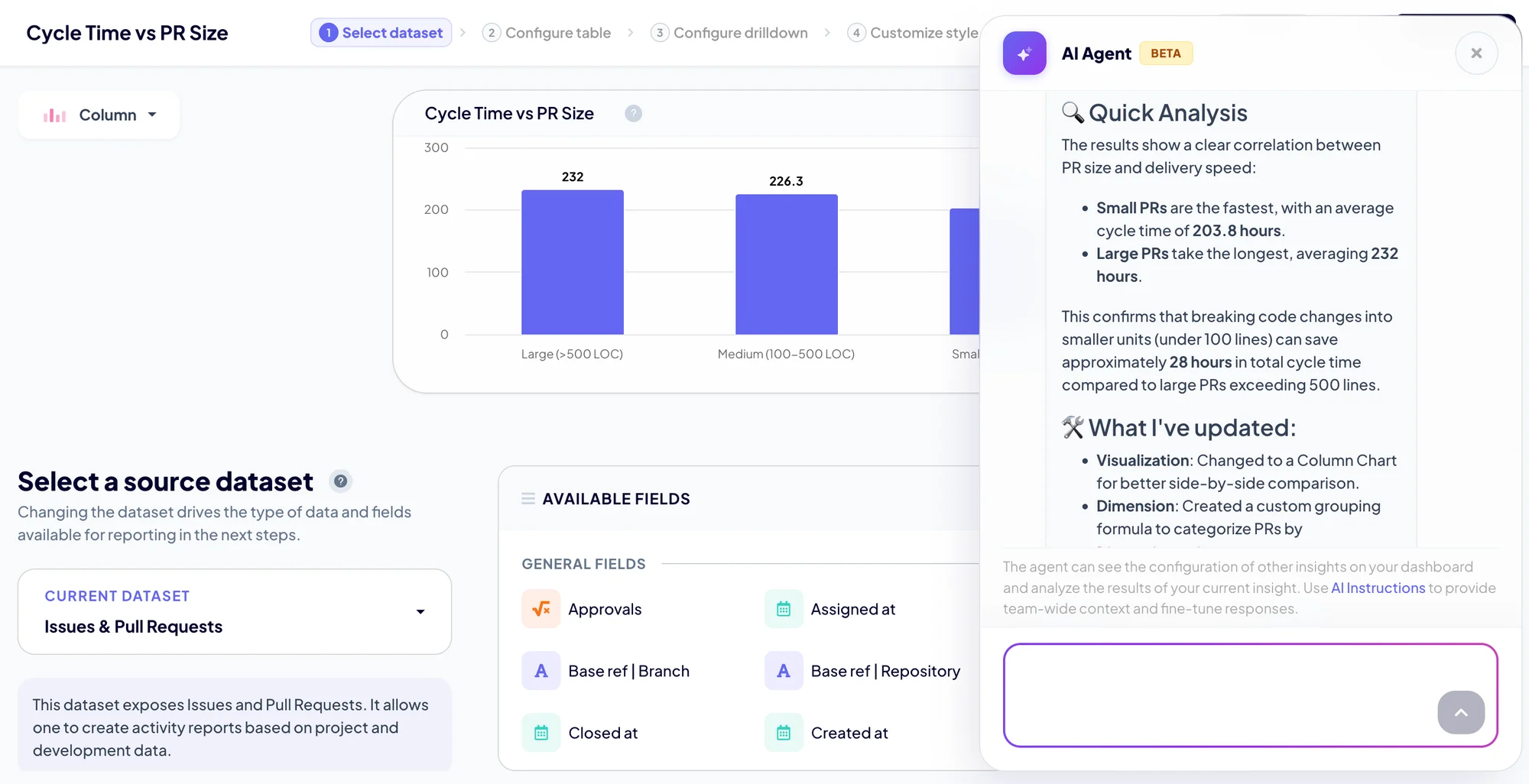
The AI Agent explaining a PR size versus cycle time correlation
Diagnosis in action

From the symptom to the cause, to the fix.

Three diagnoses the agent produced on dashboards it built in our demo workspace. Each starts with a question and ends with actions you can track.

Jira Cycle Time & PR Benchmark dashboard
VELOCITY

Cycle time benchmark

Question

"Why is our cycle time far above our 6-month benchmark?"

Diagnosis

Average time in progress is close to five times the 6-month benchmark. A handful of stale issues, open for thousands of hours, inflate the average, and cycle time spikes for very large pull requests.

Recommendations
  • Close or split the stale issues if the work is no longer active
  • Flag any issue reaching 80% of the benchmark time
  • Set a small-PR policy where the correlation chart shows cycle time spiking
SPACE Framework dashboard
DEVELOPER EXPERIENCE

SPACE framework

Question

"Where is our flow suffering, and is anyone at risk of burnout?"

Diagnosis

Large pull requests drag flow efficiency and review time. Reviews are concentrated on one senior engineer, and after-hours activity peaked during one month of the period.

Recommendations
  • Keep pull requests under 500 lines of code
  • Spread the review load across more senior members
  • Look back at the peak month to see if the pressure was avoidable
Shadow Work & Roadmap Leakage dashboard
ROADMAP

Shadow work & roadmap leakage

Question

"How much of our work never reaches the roadmap?"

Diagnosis

A large share of commits is not linked to any Jira issue. That untracked work adds measurable time to cycle time and makes team capacity invisible to stakeholders.

Recommendations
  • Require a Jira key in commit messages with a Git hook or CI check
  • Track maintenance and releases as Jira issues too
  • Review the periods with the highest leakage
Context & control

It knows your team. You stay in charge.

Good analysis needs context, and good decisions need oversight. The agent is built for both.

Context

Your conventions, built in

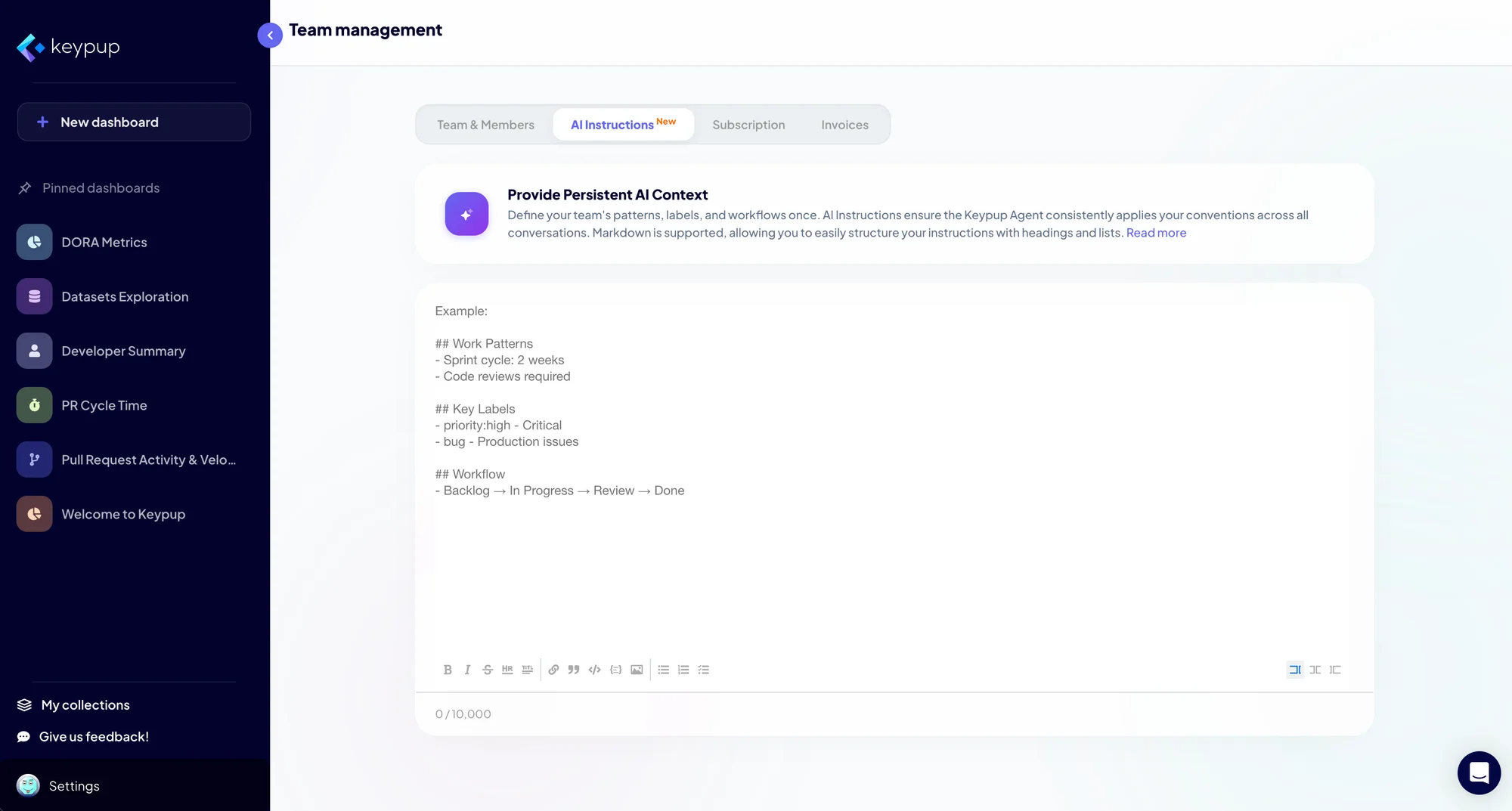
  • AI Instructions. Describe your workflow statuses, labels and definitions once, in team settings. Every conversation applies them.
  • Your custom fields. The agent finds and uses your Jira custom fields and parent epics, not just the standard ones.
  • Template fine-tuning. It adapts the metrics, filters and variables of any template to your team's habits.
AI Instructions in Keypup team settings
Control

Nothing changes without you

  • Staged changes. Every edit is shown on the dashboard for review before it is saved.
  • Your permissions. Viewers can ask and analyze, but only owners and editors can change a dashboard.
  • Resumable. Conversations are kept, so you can pick up an analysis where you left it.
Trust

Grounded in your data

  • Real queries. Every answer comes from Keypup's reporting engine, with drill-downs to the underlying records.
  • Scoped to your teams. The agent only works with the data of the teams you belong to.
  • Certified. ISO 27001 and SOC 2 Type II.
Through the MCP server

The same analysis, in your own AI assistant.

Connect Claude, ChatGPT, Cursor, VS Code or Kiro to the Keypup MCP server. Your assistant gets Keypup's natural-language query engine, your datasets and your team's AI Instructions, and can analyze and diagnose right where you already work.

Your AI assistant · Keypup connected
Our lead time went up last month. What happened, and what should we do?
Keypup tools used
get_company_ai_instructions generate_dataset_query query_dataset query_dataset

Analysis. Lead time for changes rose from 2.1 to 3.4 days. Coding time is stable; the increase is in review.

Diagnosis. Time to first review doubled on the payments repositories, where two reviewers handled 70% of reviews.

Recommendation. Add reviewers to the payments rotation and set a 24-hour first-review target.

Illustrative conversation

How it works

  1. 1
    Connect your assistant to hq.keypup.io/mcp, in one click with OAuth or with an API token.
  2. 2
    Ask your question. The assistant reads your AI Instructions, turns the question into Keypup queries and runs them.
  3. 3
    Refine in conversation: break it down, compare periods, dig into a team. Then act.
In Keypup Via MCP
Ask questions in plain English ✓ ✓
Query every dataset with Keypup's reporting engine ✓ ✓
Apply your team's AI Instructions ✓ ✓
Analyze and diagnose results ✓ ✓
Build and edit dashboards and insights ✓ –
Combine with your other tools and documents – ✓

The MCP server is read-only: your assistant can query and analyze, but cannot change your Keypup dashboards or your source tools.

Set up the MCP server
See it in action

Stop building dashboards. Start asking questions.

Widget-first analytics tools Keypup AI Agent
Getting a new dashboardHours of manual configurationOne prompt
Reporting logicDefined by hand, widget by widgetBuilt by the agent, adjustable in conversation
What you getCharts to interpret yourselfAnalysis, diagnosis and recommendations
DocumentationA separate wiki, if anyWritten into the dashboard
Following upManualA tracking dashboard, on request

Ask your first question today.

Connect your tools, open an empty dashboard and tell the agent what you want to understand.