4 Quick Steps to Display Cards and Boards Using Keypup

In this step-by-step tutorial, you will learn how to display consolidated info. from your development stack (Git Repos + PM Tools) using Keypup.

Thomas Williams
Thomas Williams LinkedIn
• 4 min read
4 Quick Steps to Display Cards and Boards Using Keypup

Agile software development methodology is an iterative process aimed to deliver customer value faster by delivering work in small batches. Whether you use Kanban, Scrum or any other approach, you should be familiar with boards made of cards. In Keypup, you can add cards to any dashboard or create Boards in order for you to keep track of specific tasks or projects. Keypup does not aim to replace project management tools but to grant you access to your development data from git repositories and project management all in one place.

Here's how you can display a Board or Card with Keypup in 4 easy steps:

Add a Card or a board to a dashboard

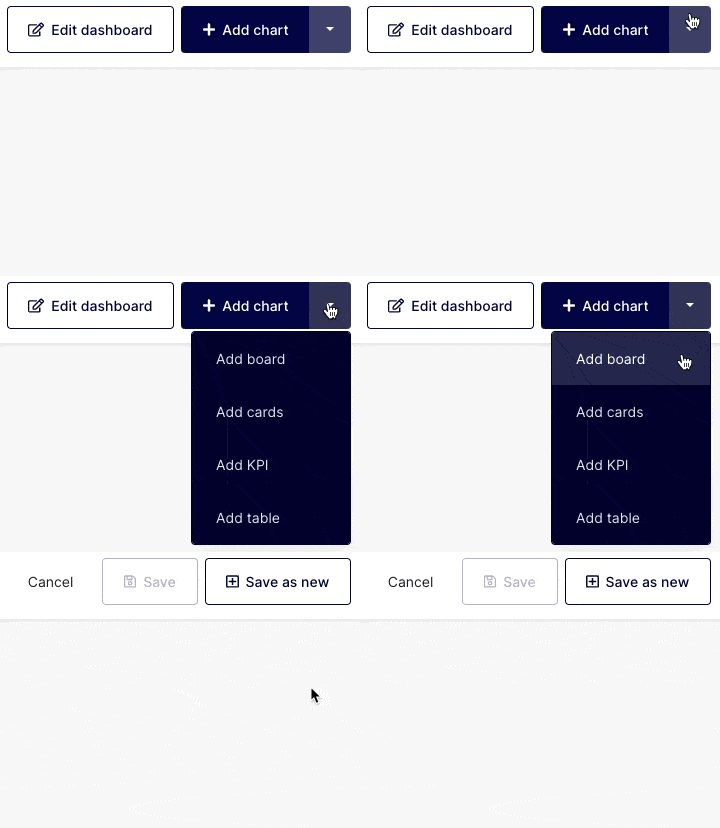
Click on any dashboard or in the Card collection found on the right-hand side of the navigation bar and select "Add Card" or "Add Board".
Image

Choosing Boards or Cards?

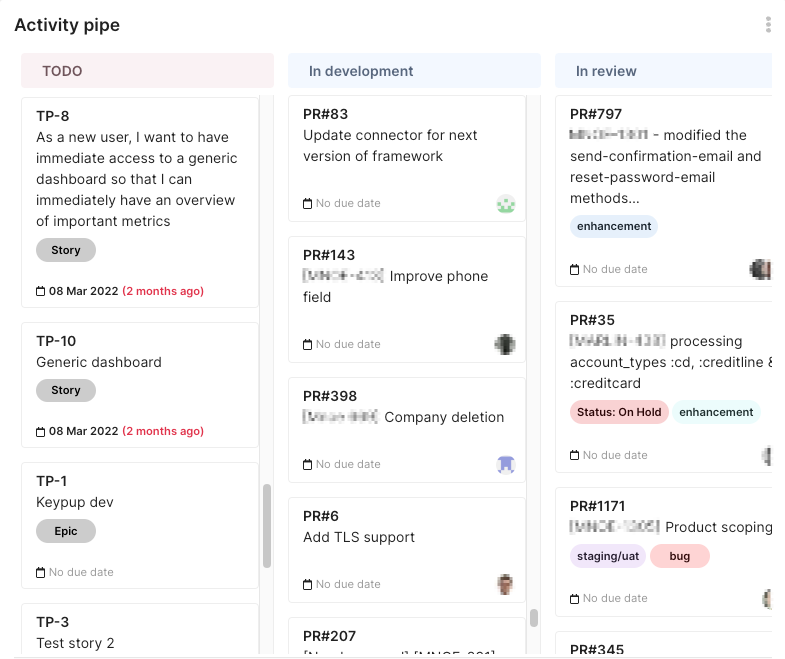
  • Boards: Boards are often used to showcase items (Pull Requests, Issues, Bugs…) assigned to specific projects or users and organized based on the priorities set by the organization (due date, project significance, etc.). It helps visualize a series of items and see them organized by stage or date.
Image

  • Card: Cards are a more detailed view of a particular item placed on a board. Their role is to provide granular information at a project or task level for the team or individuals.
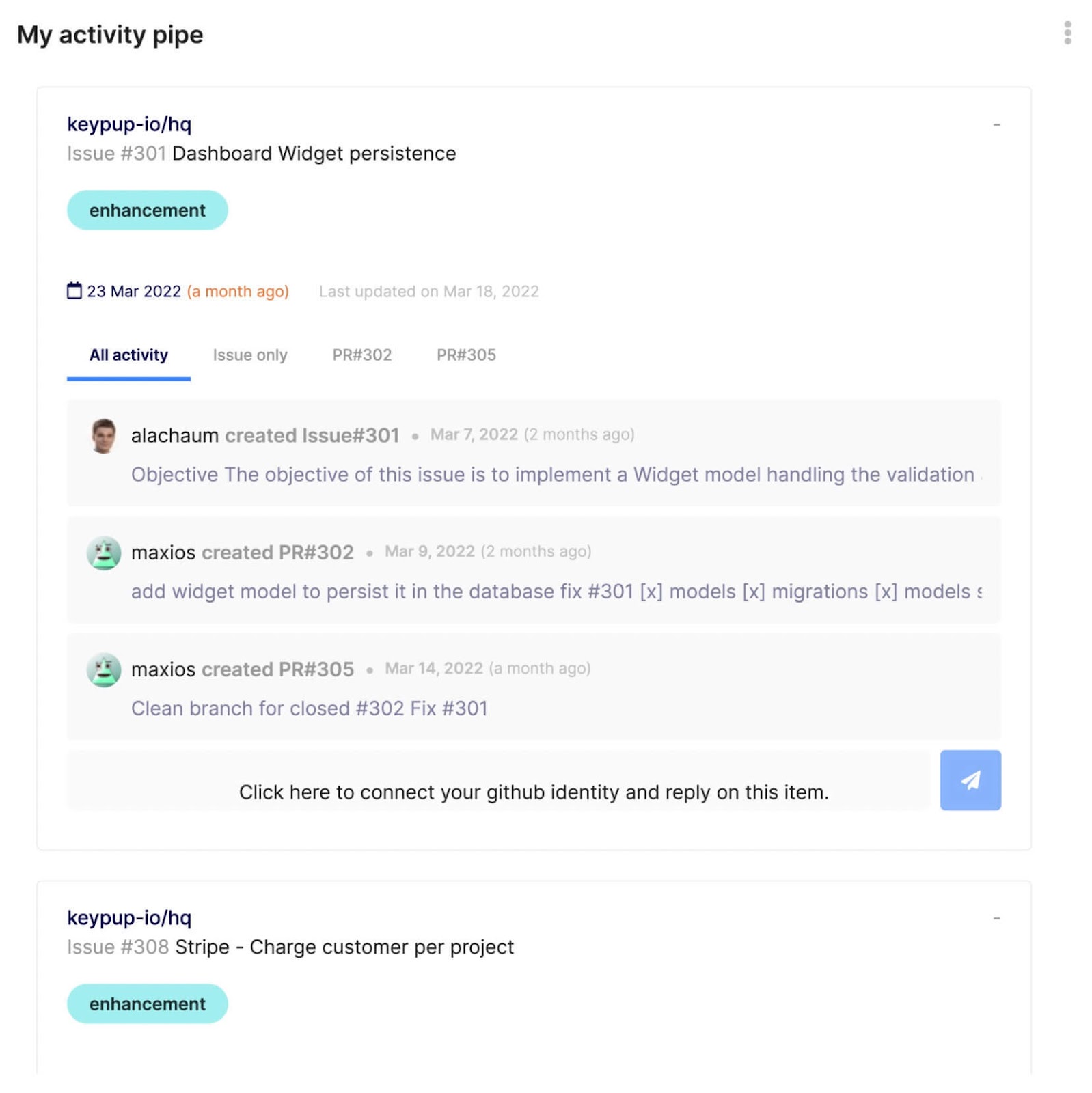
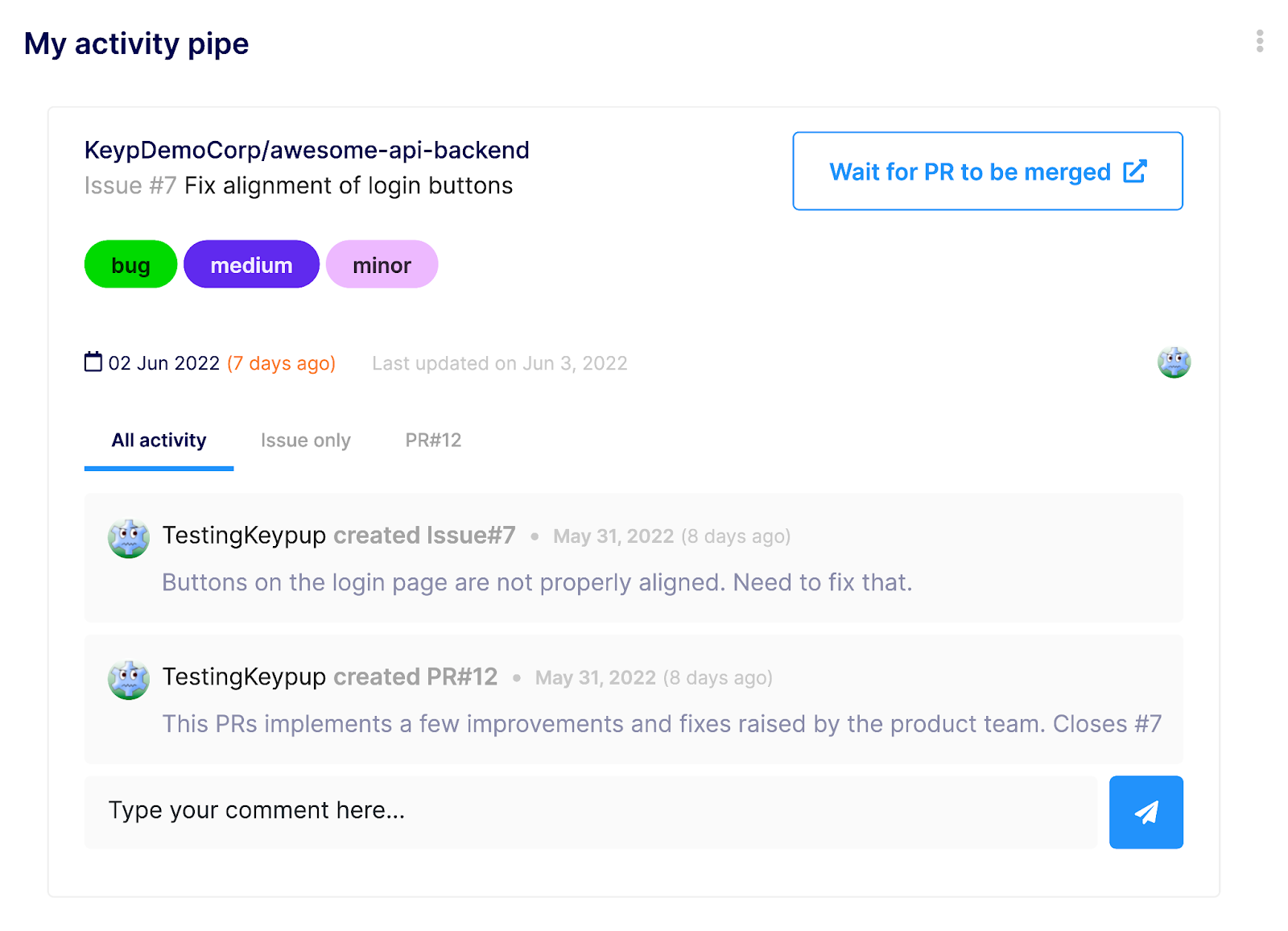
Image

Image

Configure Filters

Boards and cards are created using "AND" / "OR," commands. Cards have 1 filter set only while Boards have filters for each column in addition to a global filter at a board level.

You can narrow down further a view at a board level by applying an additional filter (not applicable for cards). You can use this option, as an example if you want your entire team to use the same board but you want to see what is assigned to a particular team member.
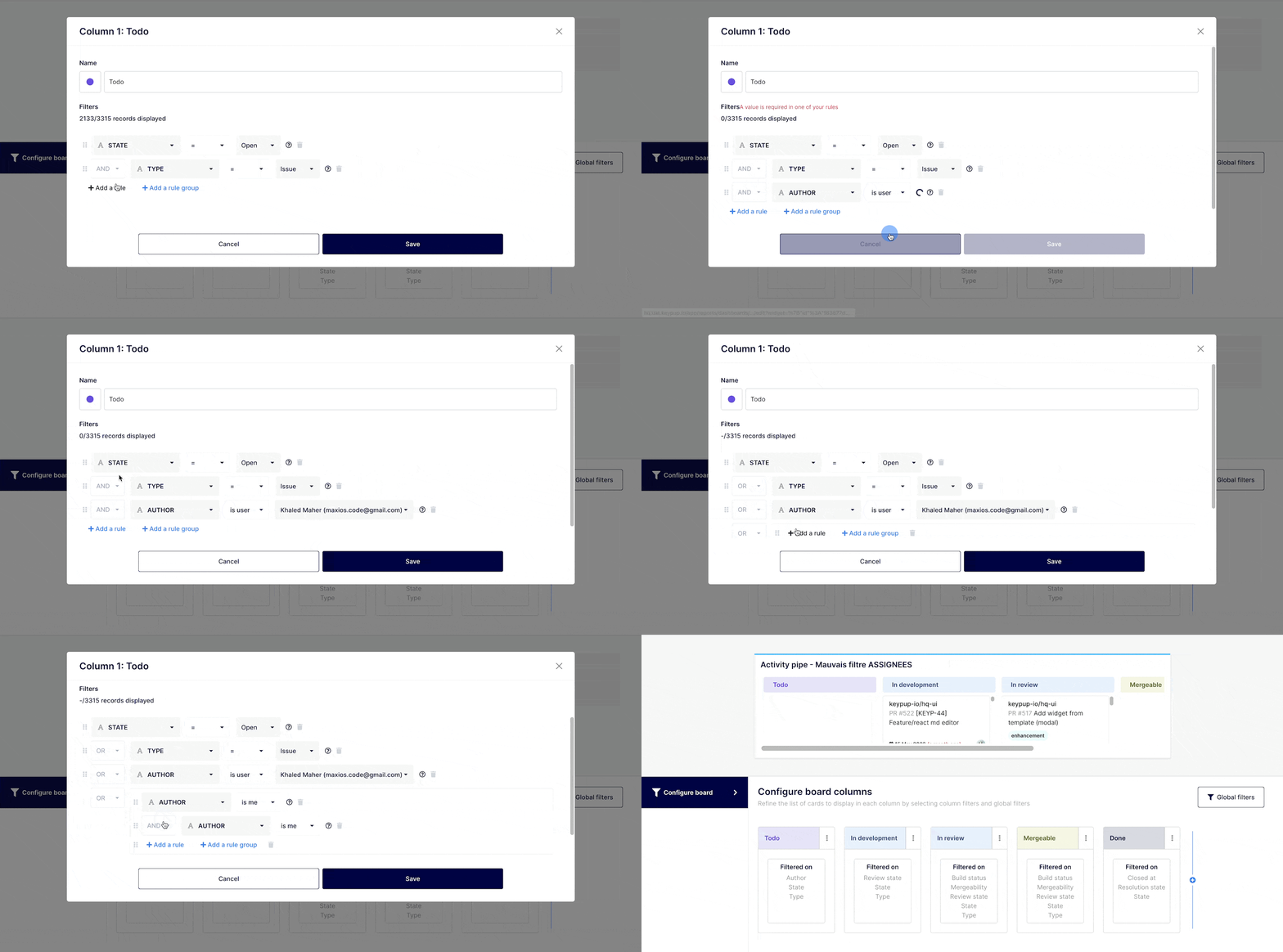
Image

Customize your Chart / Board "look & feel" (optional)

Customization of the boards and cards will be automatically suggested. Although it is not necessary, you will have the ability to further customize the look and feel of your boards and cards.
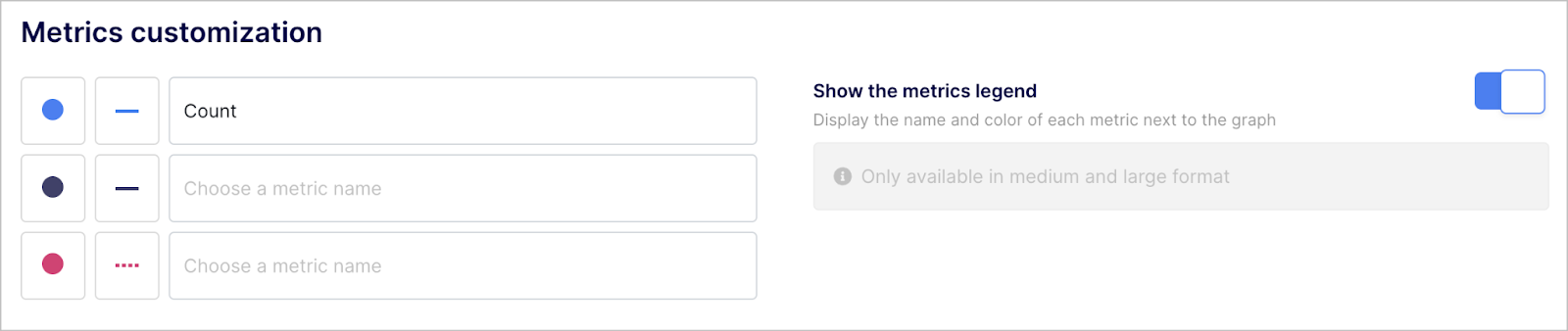
Image

Any questions or tips you would like to share? You can contact us directly in the chat from your Keypup interface or use this contact form.


Ready to Transform Your Analytics?

Join teams already using AI to make data-driven decisions faster than ever.

Most Recent Articles

Merge Hell: How Long-Lived Branches Quietly Slow Down Enterprise Delivery

Merge Hell: How Long-Lived Branches Quietly Slow Down Enterprise Delivery

Your median cycle time looks healthy, yet every release still ends in merge conflicts, rebases and big-bang reviews. Learn what engineering leaders on Reddit say about long-lived branches and the trunk-based vs GitFlow debate at enterprise scale, and how Keypup MCP uses pull request dates, target branches, commits, reviews and mergeability to measure branch lifetime, find where branches live longest and land aging work before it drifts into conflict.

Stephane Ibos
6 Best Engineering Metrics Tools for Benchmarking (2026)

6 Best Engineering Metrics Tools for Benchmarking (2026)

Compare the 6 best engineering metrics tools for multi-team benchmarking in 2026 — Keypup, LinearB, Swarmia, Jellyfish, Faros and Appfire Flow — on cross-team benchmarking, org-level rollups, DORA Metrics, Git-to-ticketing linking, custom KPIs, AI capabilities and data security. See how to compare teams on equal terms and find where your delivery process is broken.

Liam Davis
The PR Graveyard: How Much Engineering Work Dies Before It Merges?

The PR Graveyard: How Much Engineering Work Dies Before It Merges?

In large engineering organizations, thousands of pull requests are closed without merging or left to go stale every year, and nobody measures the cost. Learn what engineering leaders on Reddit say about abandoned pull requests, and how Keypup MCP uses pull request state, review, size, mergeability and Jira link data to size the PR graveyard, find where work dies, and triage stale pull requests before they are lost.

Arnaud Lachaume