Understanding and Modifying Keypup’s Metric Documentation

Gain insights on understanding and modifying Keypup's metric documentation. Learn how to access and modify metrics' documentation, ensuring a comprehensive understanding of purpose, calculation, and improvement areas. Empower your team to make data-driven decisions and drive continuous improvement in software engineering practices with Keypup.

Celine Nabais
Celine Nabais LinkedIn
• 3 min read
Understanding and Modifying Keypup’s Metric Documentation

​In the realm of software engineering metrics, it's not uncommon for individuals who didn't create a particular metric to struggle with understanding how it has been calculated, why it matters, and how to improve it. This lack of clarity can hinder effective decision-making and impede progress within an organization. That's why documenting metrics is key to ensuring that everyone involved has a comprehensive understanding of the metric's purpose, calculation, and potential areas for improvement.

In this article, we’ll show you how to access and modify your metrics’ documentation.

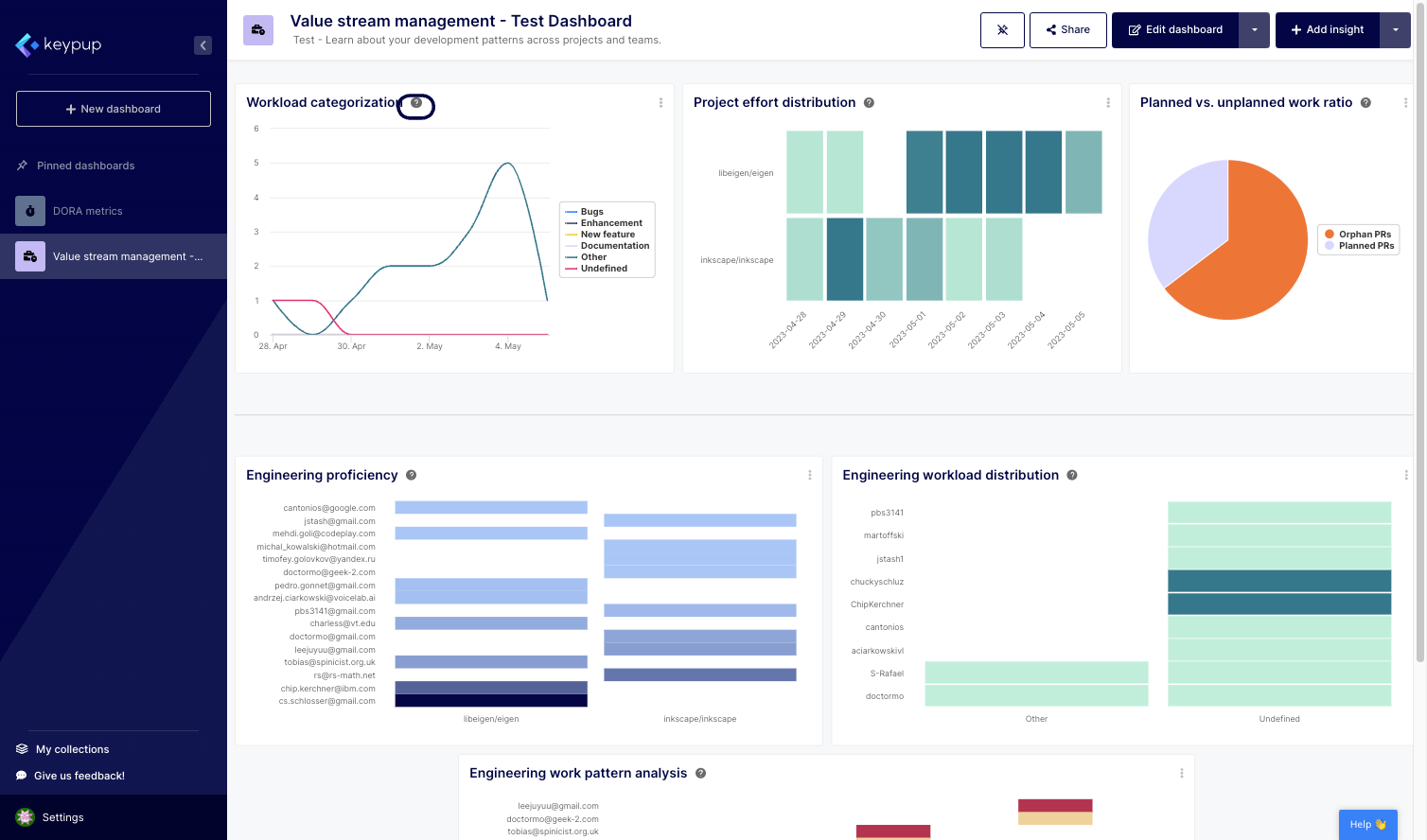
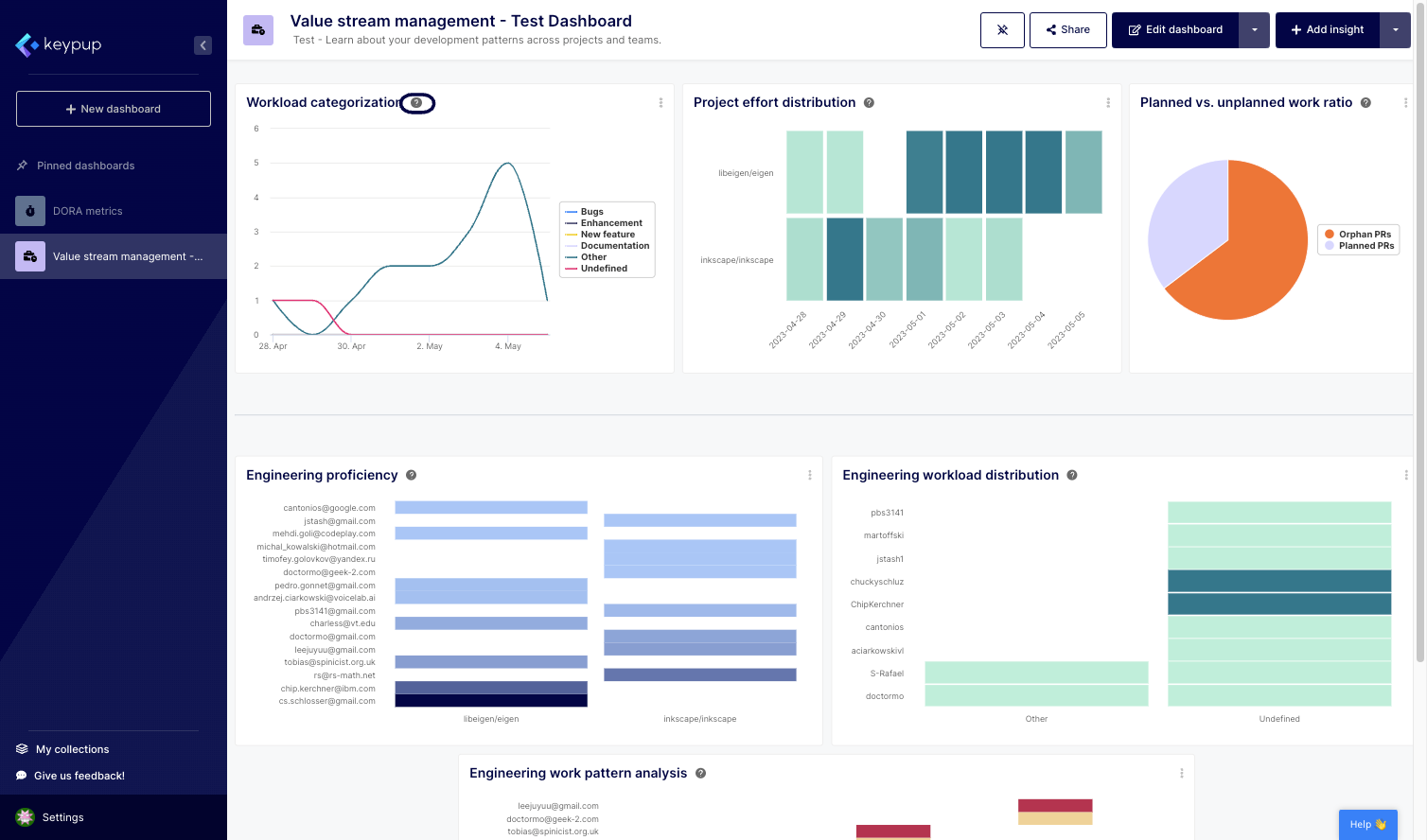
1. To access any metric's documentation, click on the question mark (?) button located next to the insight title.
Image

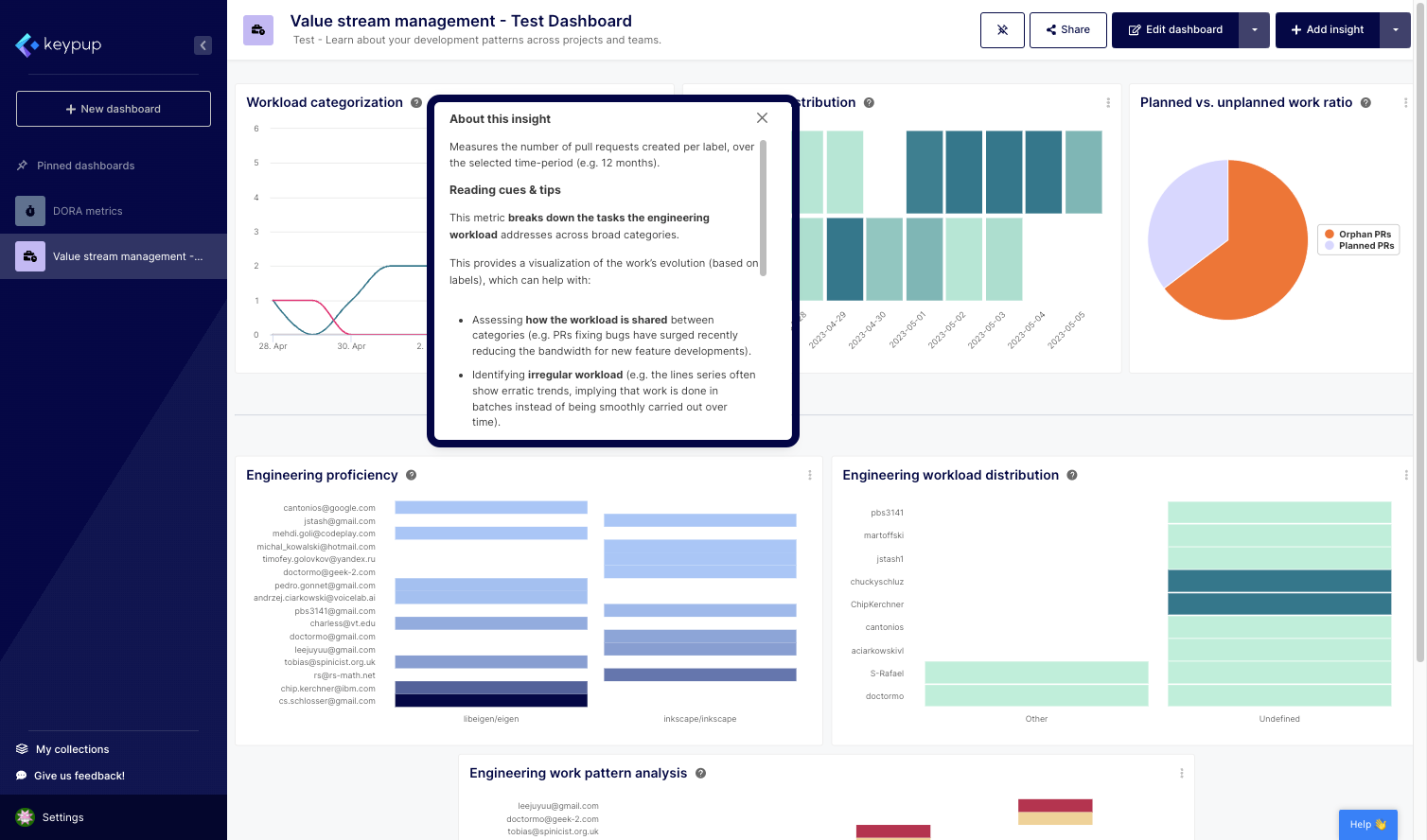
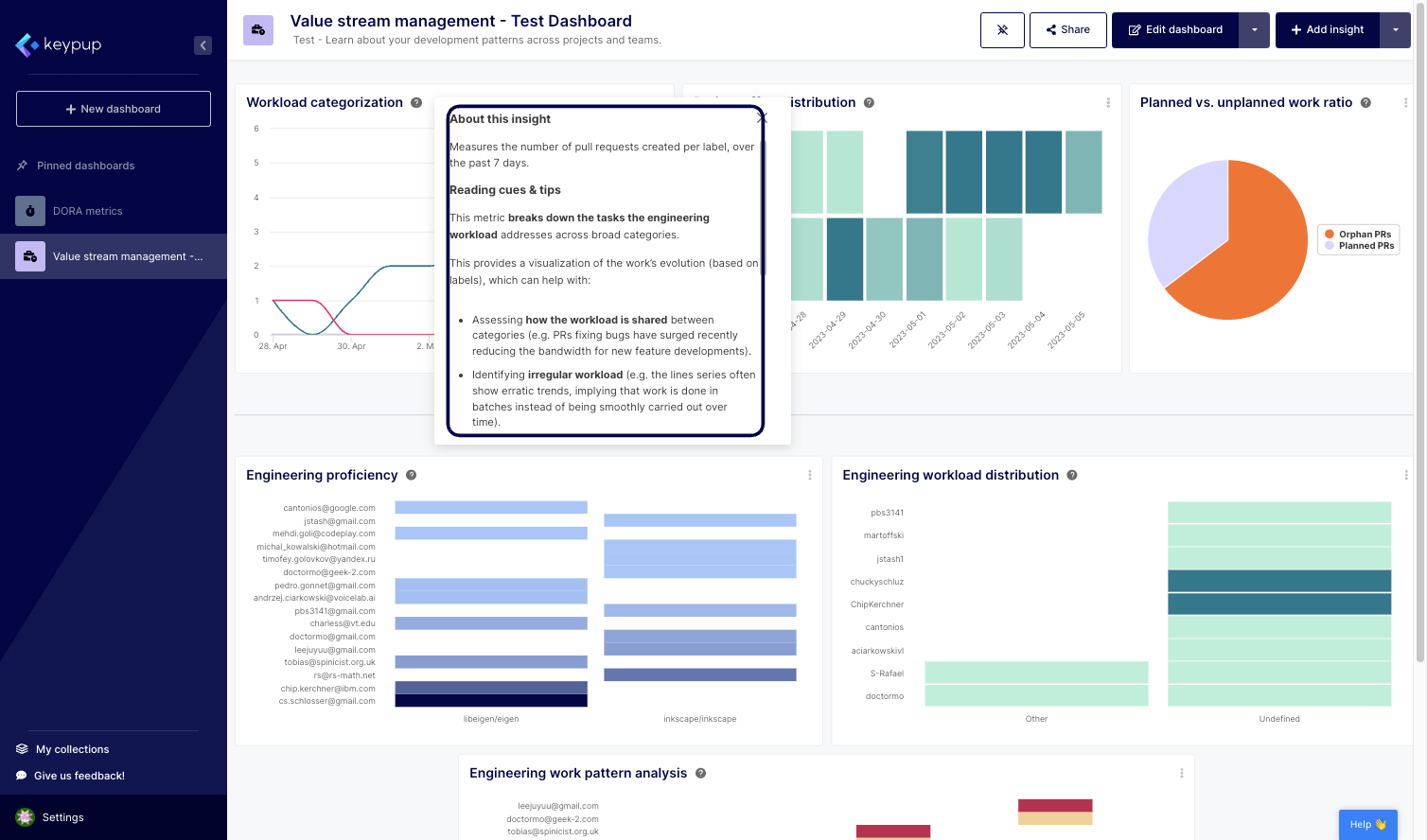
2. This will open a tooltip that contains all the information about the insight. Keypup's metric templates come with default documentation that provides information about the insight and how it’s calculated, as well as tips to improve the metric.
Image

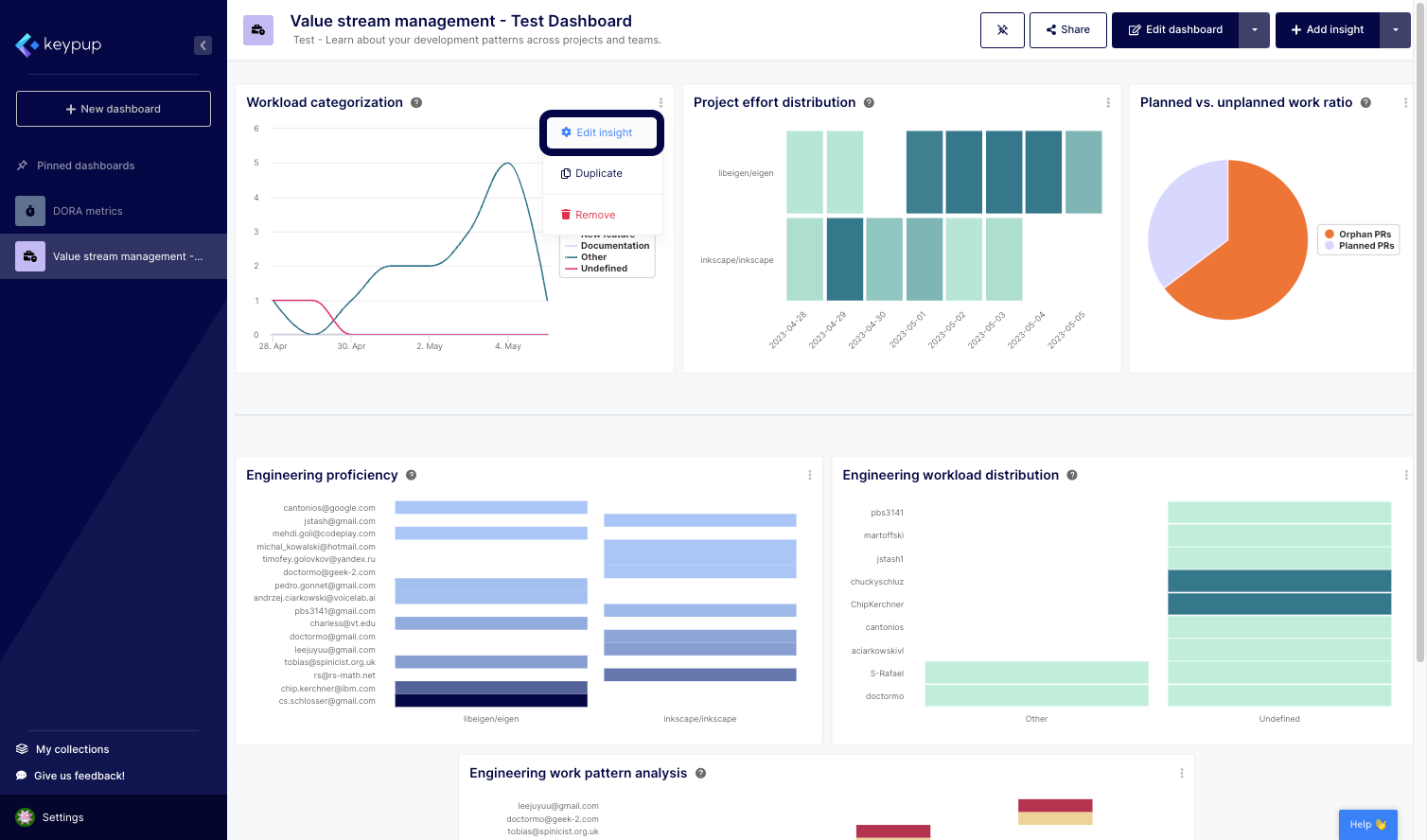
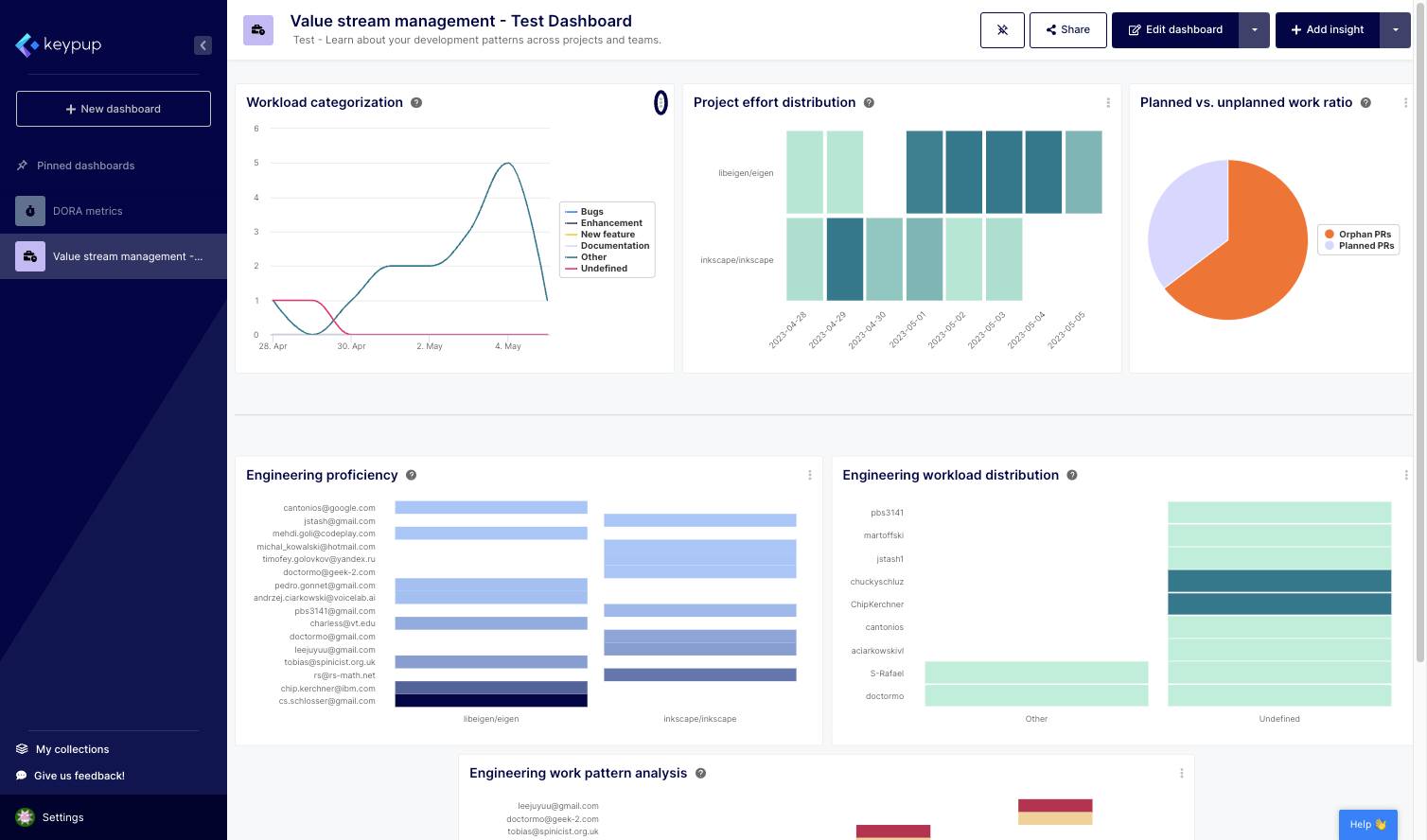
3. To modify the metric's documentation, click on the edit (...) button located at the top right of the insight.
Image

4. Then, select "Edit insight."

Image

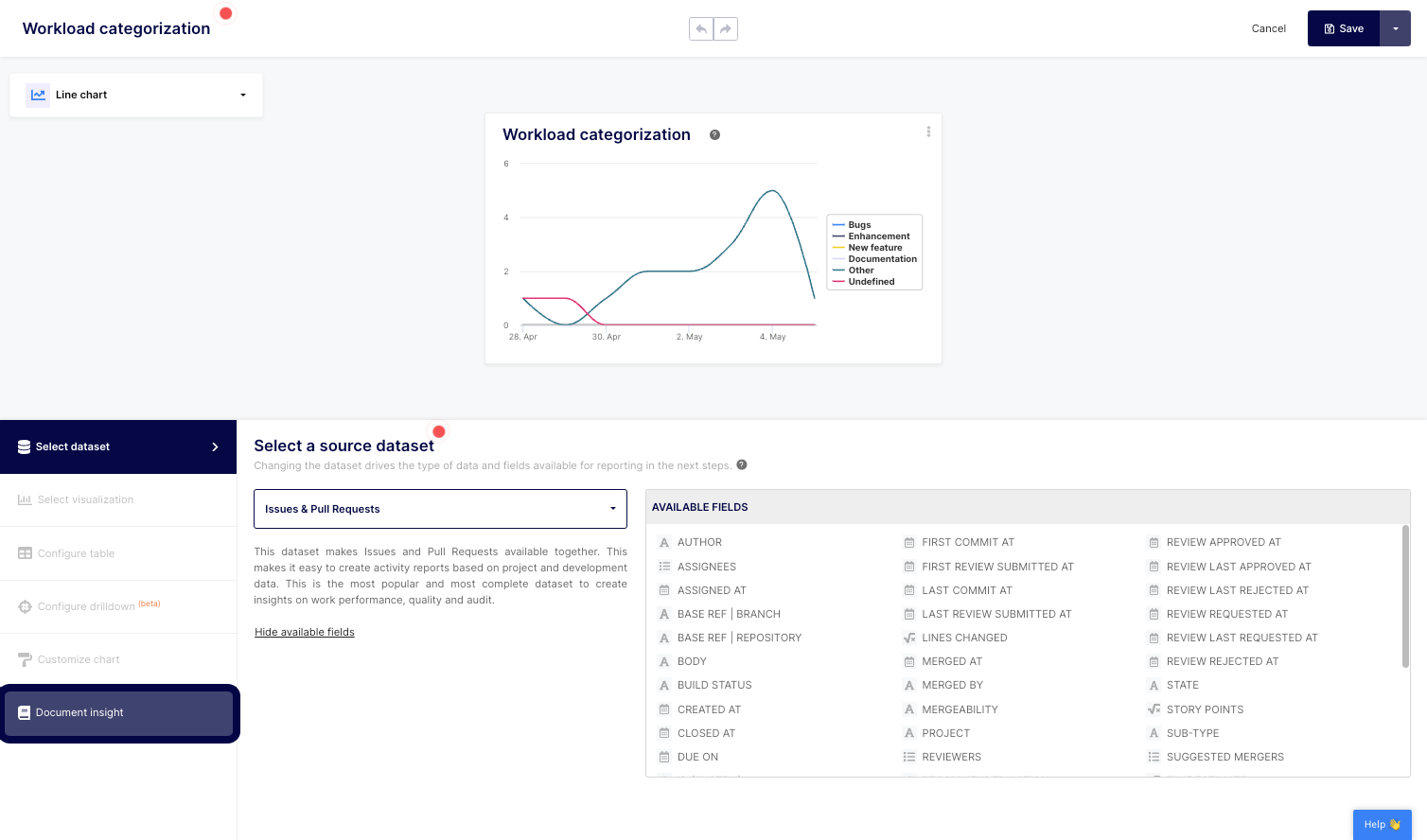
5. Click on the "Document insight" section of the left navigation panel.
Image

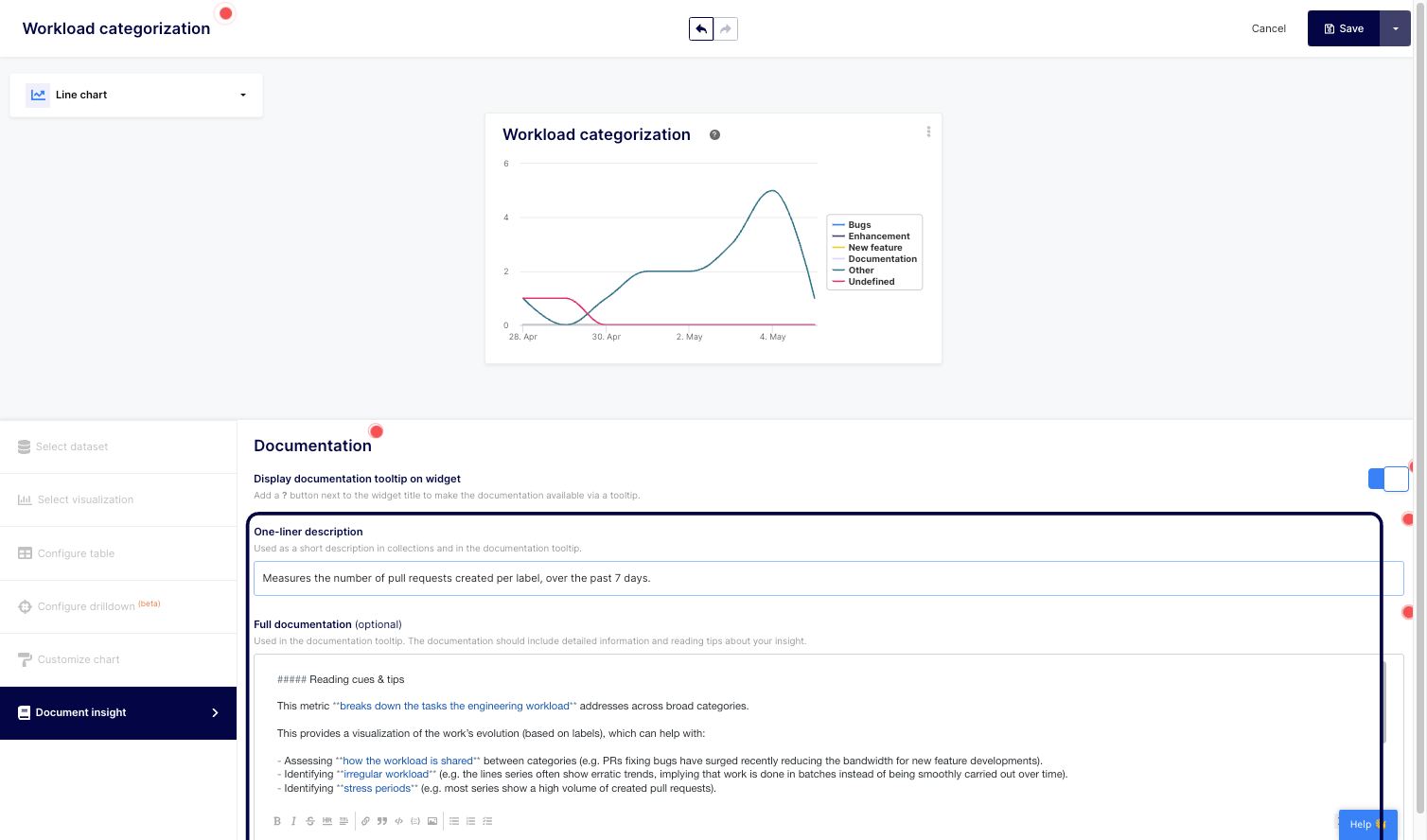
6. From there, you can edit your documentation one-liner description as well as the full documentation to meet your organization’s needs and processes.
Image

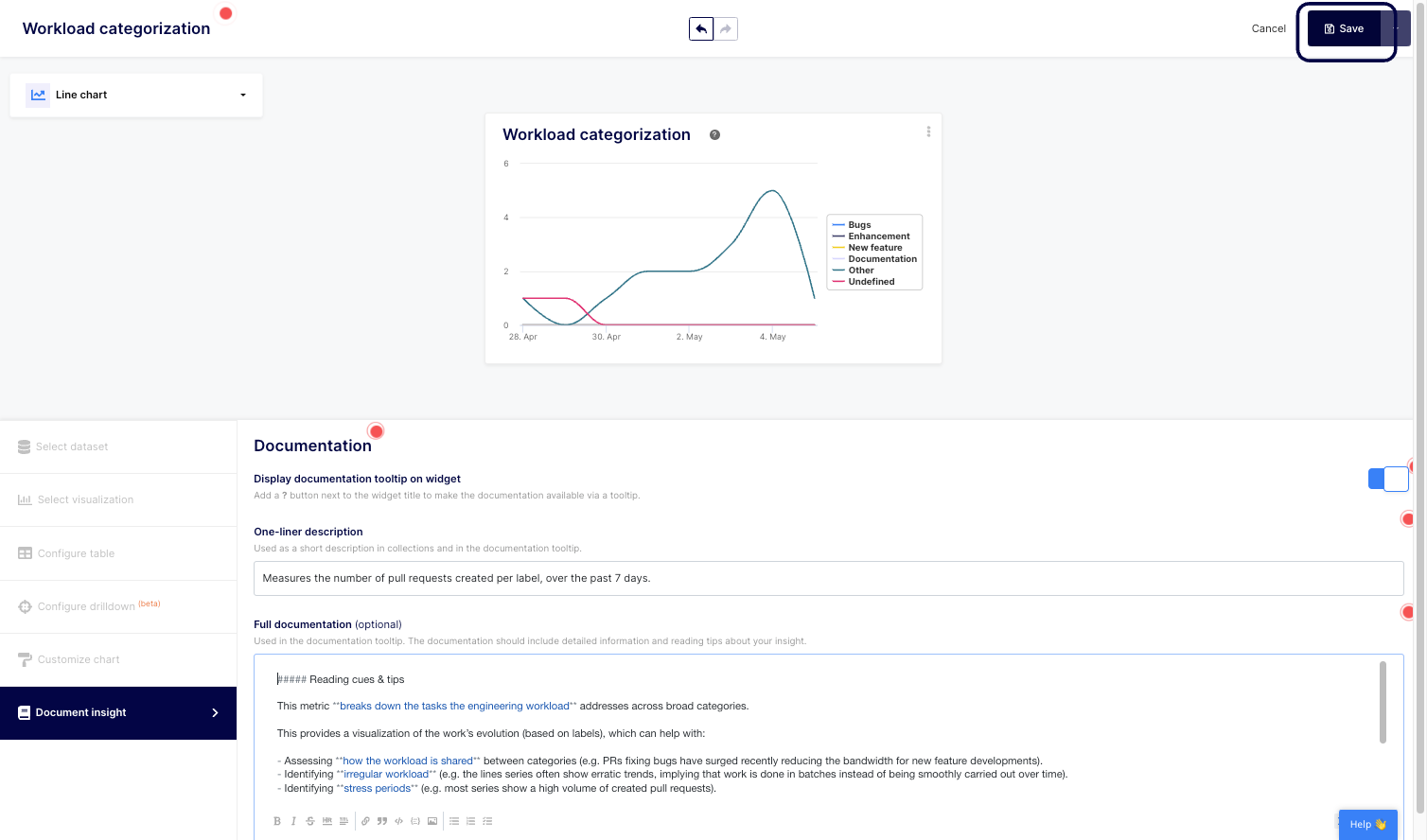
8. Don't forget to save your changes.
Image

9. That's it. You can click on the question mark next to the insight title to read your updated documentation.
Image

Image

‍

Understanding and modifying Keypup's metric documentation is a powerful tool for organizations seeking to optimize their software engineering practices. By providing clear insights into metrics and offering the flexibility to tailor documentation to specific needs, Keypup enables teams to work collaboratively, make data-driven decisions, and drive continuous improvement.

With comprehensive metric documentation, organizations can build a foundation of understanding and alignment to drive efficiency and success in their software engineering endeavors. Leverage Keypup today to unlock the full potential of your software engineering metrics.


Ready to Transform Your Analytics?

Join teams already using AI to make data-driven decisions faster than ever.

Most Recent Articles

Merge Hell: How Long-Lived Branches Quietly Slow Down Enterprise Delivery

Merge Hell: How Long-Lived Branches Quietly Slow Down Enterprise Delivery

Your median cycle time looks healthy, yet every release still ends in merge conflicts, rebases and big-bang reviews. Learn what engineering leaders on Reddit say about long-lived branches and the trunk-based vs GitFlow debate at enterprise scale, and how Keypup MCP uses pull request dates, target branches, commits, reviews and mergeability to measure branch lifetime, find where branches live longest and land aging work before it drifts into conflict.

Stephane Ibos
6 Best Engineering Metrics Tools for Benchmarking (2026)

6 Best Engineering Metrics Tools for Benchmarking (2026)

Compare the 6 best engineering metrics tools for multi-team benchmarking in 2026 — Keypup, LinearB, Swarmia, Jellyfish, Faros and Appfire Flow — on cross-team benchmarking, org-level rollups, DORA Metrics, Git-to-ticketing linking, custom KPIs, AI capabilities and data security. See how to compare teams on equal terms and find where your delivery process is broken.

Liam Davis
The PR Graveyard: How Much Engineering Work Dies Before It Merges?

The PR Graveyard: How Much Engineering Work Dies Before It Merges?

In large engineering organizations, thousands of pull requests are closed without merging or left to go stale every year, and nobody measures the cost. Learn what engineering leaders on Reddit say about abandoned pull requests, and how Keypup MCP uses pull request state, review, size, mergeability and Jira link data to size the PR graveyard, find where work dies, and triage stale pull requests before they are lost.

Arnaud Lachaume