How-To Connect and Disconnect Applications to the Keypup Platform

Learn how connect your Gits and PM tools to Keypup and start your data-driven engineering journey today!

Thomas Williams
Thomas Williams LinkedIn
• 2 min read
How-To Connect and Disconnect Applications to the Keypup Platform

During your first sign-up to the Keypup platform, you will be guided to connect applications and projects through your onboarding tour. If you haven’t created an account yet, follow this link.

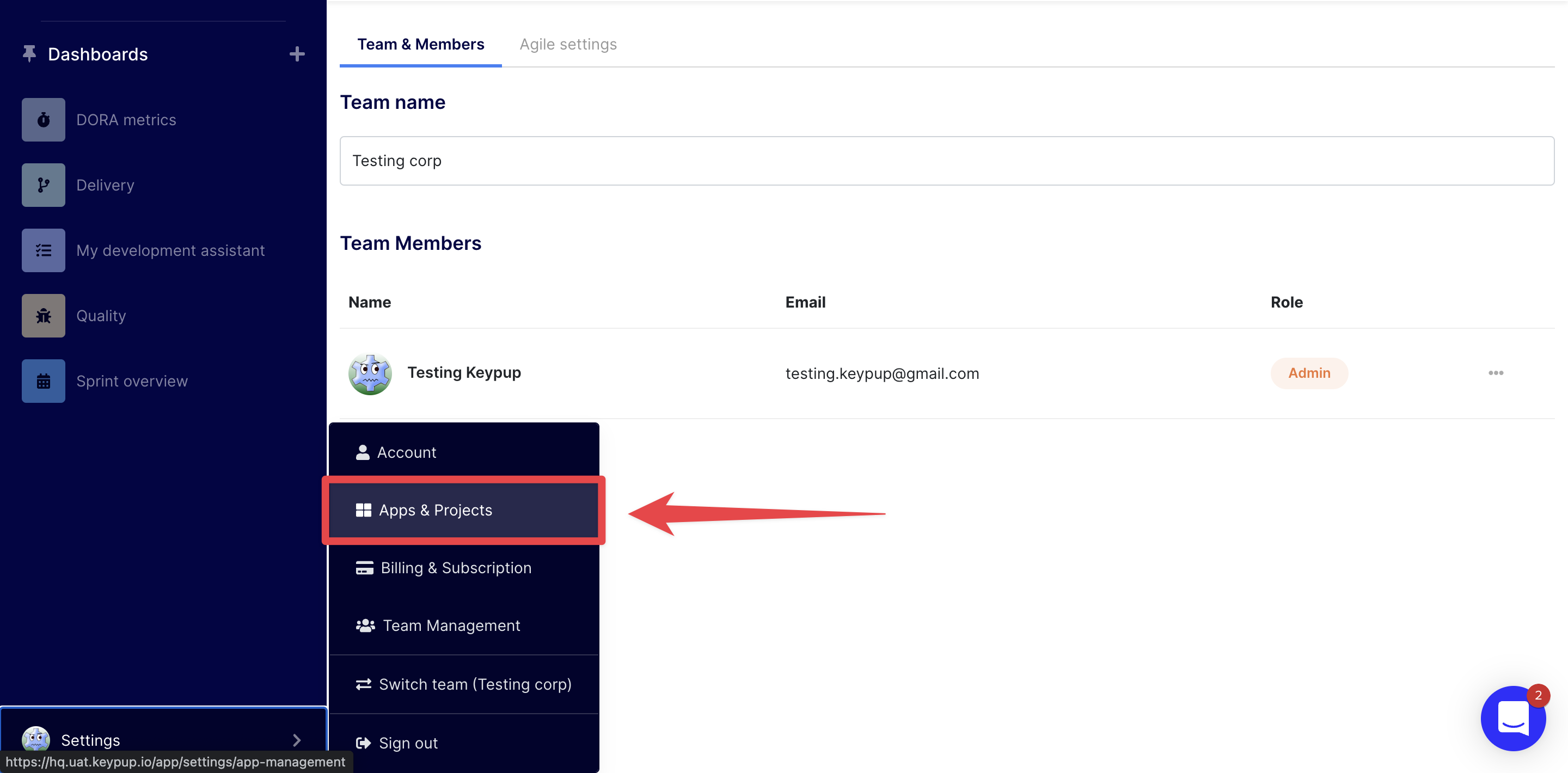
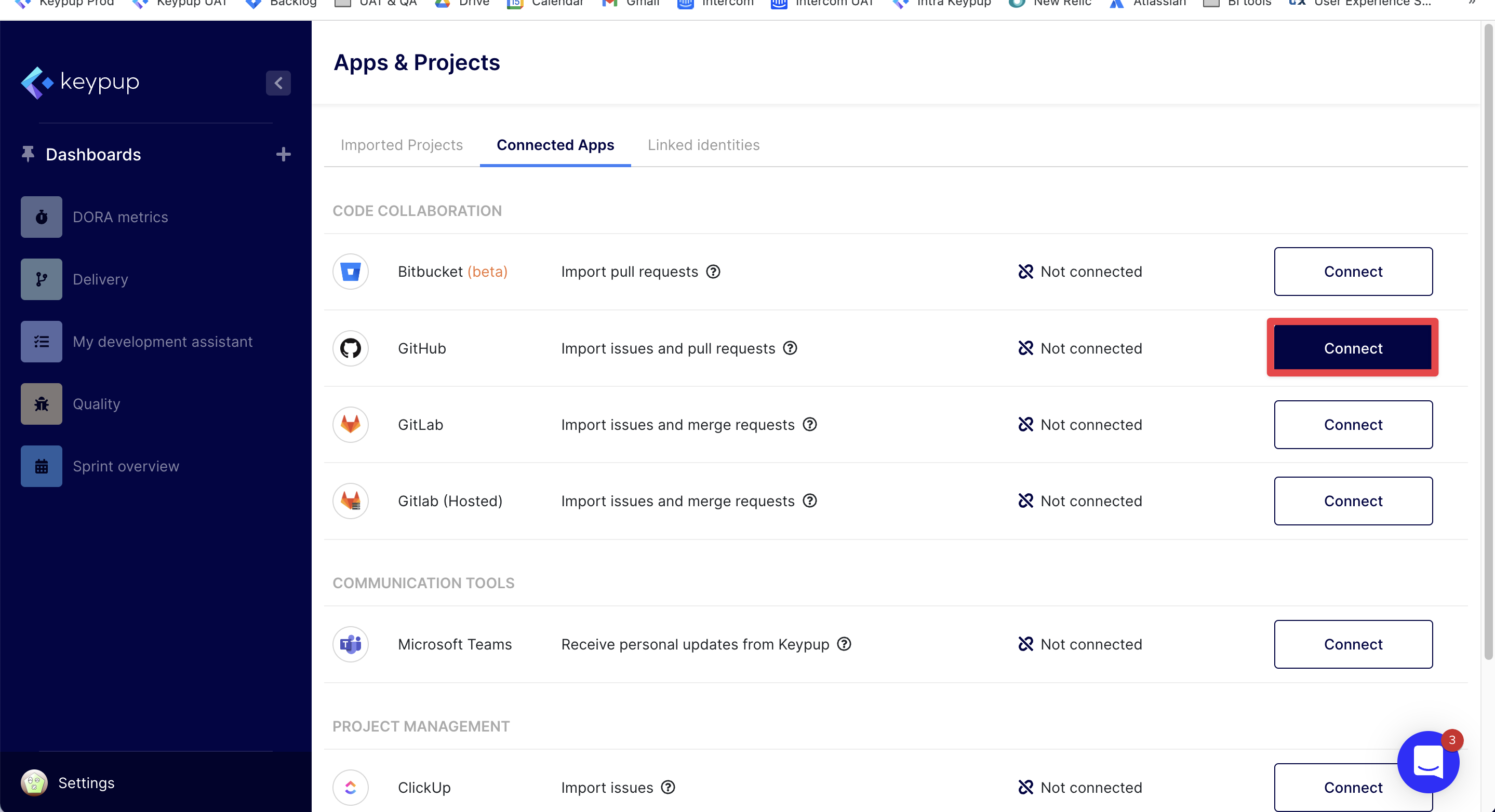
In this article, we will describe how-to connect applications after signing up to Keypup. To unleash Keypup’s full potential, we highly recommend to connect at least one Git repository and one project management tool so you can access powerfull datasets like Issues and PRs or Comments from issues, PRs and reviews. Note that connecting one or more Git repositories is enough to get you started. To connect new apps click on the Settings button at the bottom left section of your screen on the navigation menu, then select Apps & Projects and click the Connected Apps tab.
Image

Image

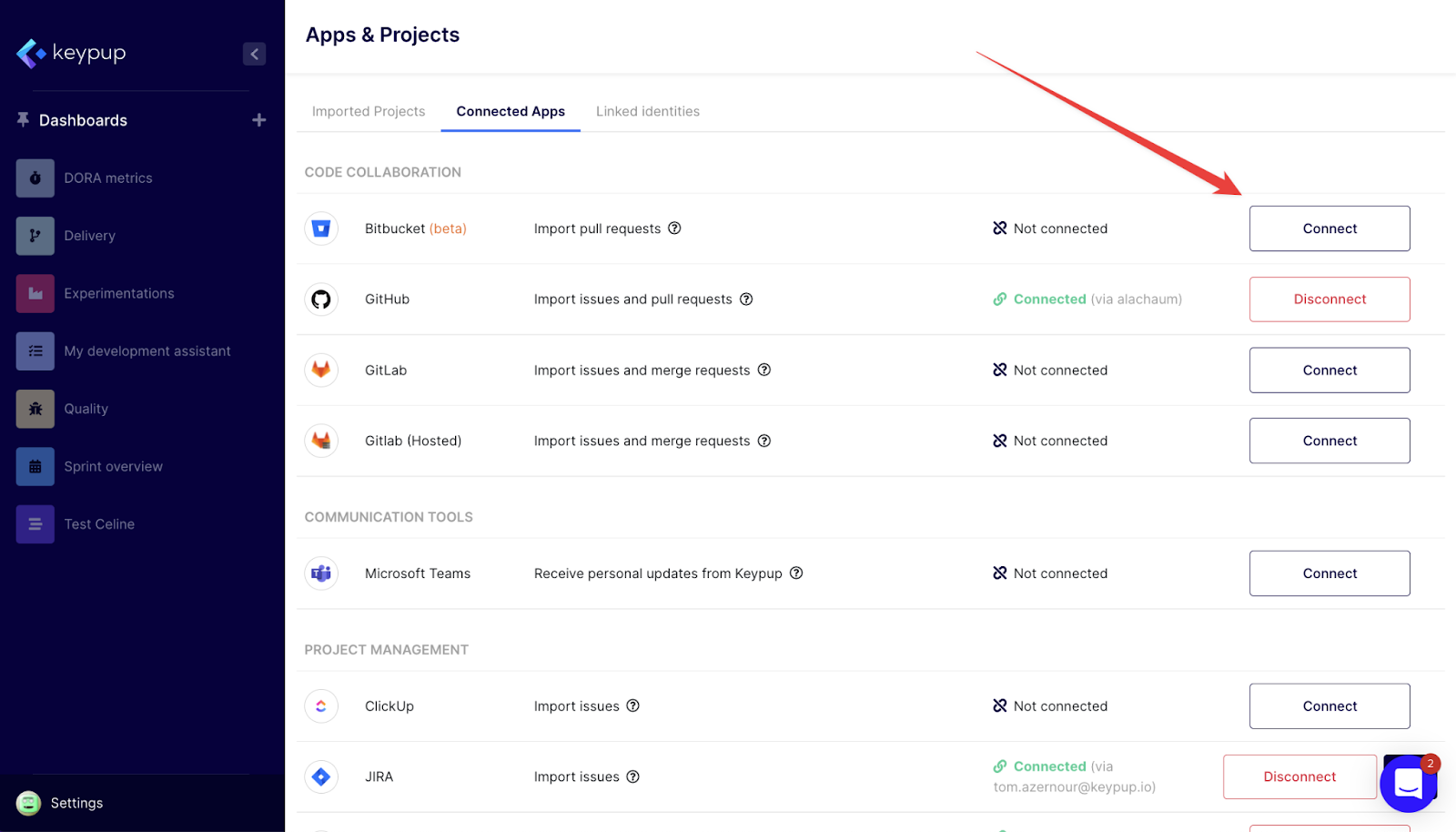
From there you can see the list of available apps and click Connect to add new apps. A new page will open on your browser so you can link your application to your Keypup account. In most cases, you will have to authorize the connection.

You can disconnect an application by clicking the Disconnect button.
Image

What's next? Read our article on how to connect or disconnect projects and repos to Keypup.

Any recommendations or tips? Ping us through the chat or contact us using this form.

Ready to Transform Your Analytics?

Join teams already using AI to make data-driven decisions faster than ever.

Most Recent Articles

Merge Hell: How Long-Lived Branches Quietly Slow Down Enterprise Delivery

Merge Hell: How Long-Lived Branches Quietly Slow Down Enterprise Delivery

Your median cycle time looks healthy, yet every release still ends in merge conflicts, rebases and big-bang reviews. Learn what engineering leaders on Reddit say about long-lived branches and the trunk-based vs GitFlow debate at enterprise scale, and how Keypup MCP uses pull request dates, target branches, commits, reviews and mergeability to measure branch lifetime, find where branches live longest and land aging work before it drifts into conflict.

Stephane Ibos
6 Best Engineering Metrics Tools for Benchmarking (2026)

6 Best Engineering Metrics Tools for Benchmarking (2026)

Compare the 6 best engineering metrics tools for multi-team benchmarking in 2026 — Keypup, LinearB, Swarmia, Jellyfish, Faros and Appfire Flow — on cross-team benchmarking, org-level rollups, DORA Metrics, Git-to-ticketing linking, custom KPIs, AI capabilities and data security. See how to compare teams on equal terms and find where your delivery process is broken.

Liam Davis
The PR Graveyard: How Much Engineering Work Dies Before It Merges?

The PR Graveyard: How Much Engineering Work Dies Before It Merges?

In large engineering organizations, thousands of pull requests are closed without merging or left to go stale every year, and nobody measures the cost. Learn what engineering leaders on Reddit say about abandoned pull requests, and how Keypup MCP uses pull request state, review, size, mergeability and Jira link data to size the PR graveyard, find where work dies, and triage stale pull requests before they are lost.

Arnaud Lachaume