How to Create a Software Engineering Dashboard Using Keypup's Configuration Assistant

Create a software engineering dashboard in minutes using Keypup's configuration assistant. Build effective metrics and KPIs without data engineering skills. Monitor and optimize your team's performance, make informed decisions, and drive success with Keypup's user-friendly approach. Unlock the power of data-driven insights in your software engineering endeavors.

Celine Nabais
Celine Nabais LinkedIn
• 3 min read
How to Create a Software Engineering Dashboard Using Keypup's Configuration Assistant

Building effective engineering metrics and KPIs can be a daunting task, especially for those who are new to the process. Fortunately, Keypup's configuration assistant provides a user-friendly solution that enables users to quickly create software engineering dashboards without the need to delve into complex custom formulas or filters right away. This streamlined approach facilitates quick adoption and empowers users to get started with valuable insights in no time.

In this article, we will guide you through the process of creating a software engineering dashboard using Keypup's configuration assistant.

‍​

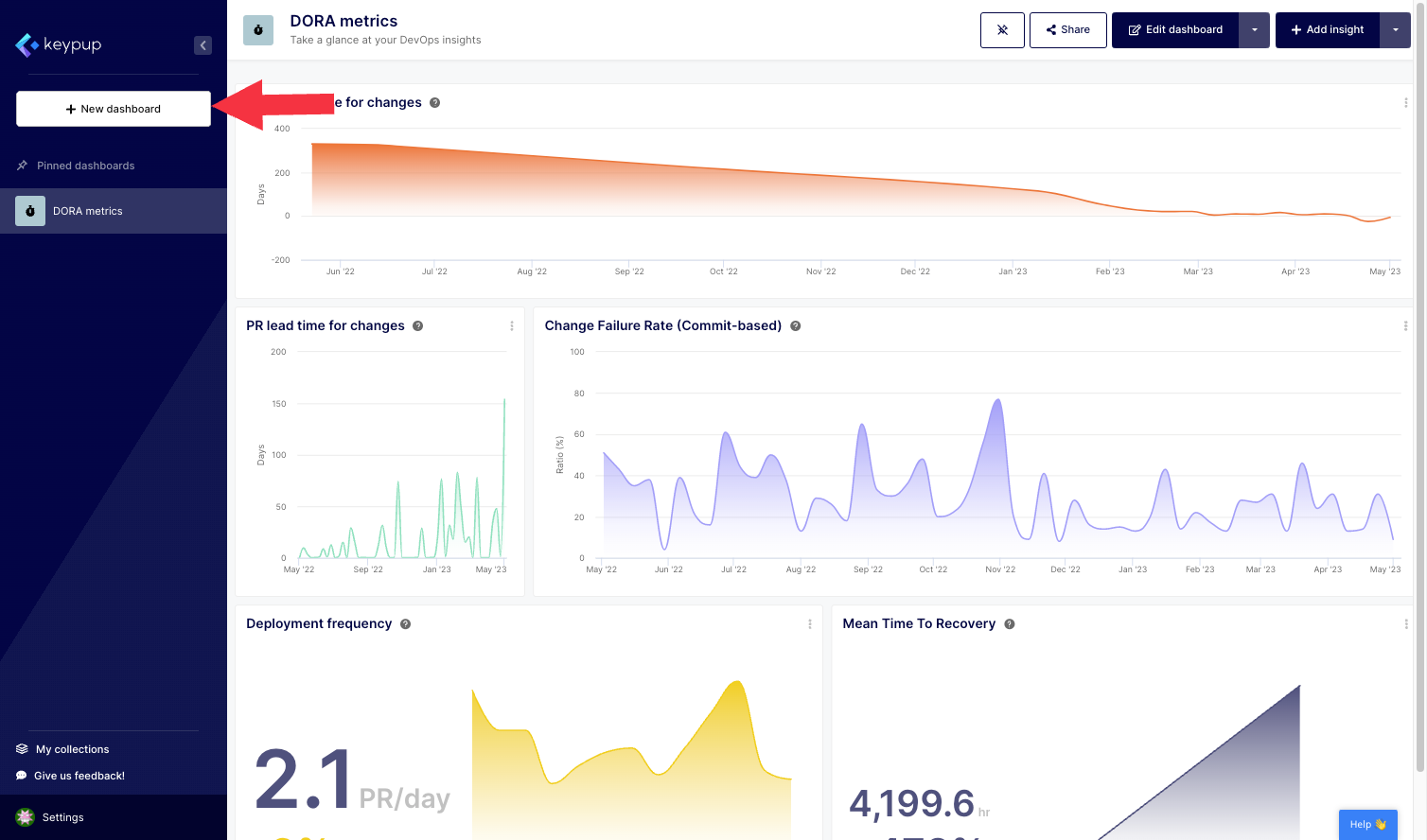
1. First, click on the "+ New dashboard" button located at the top of the left navigation panel.
Image

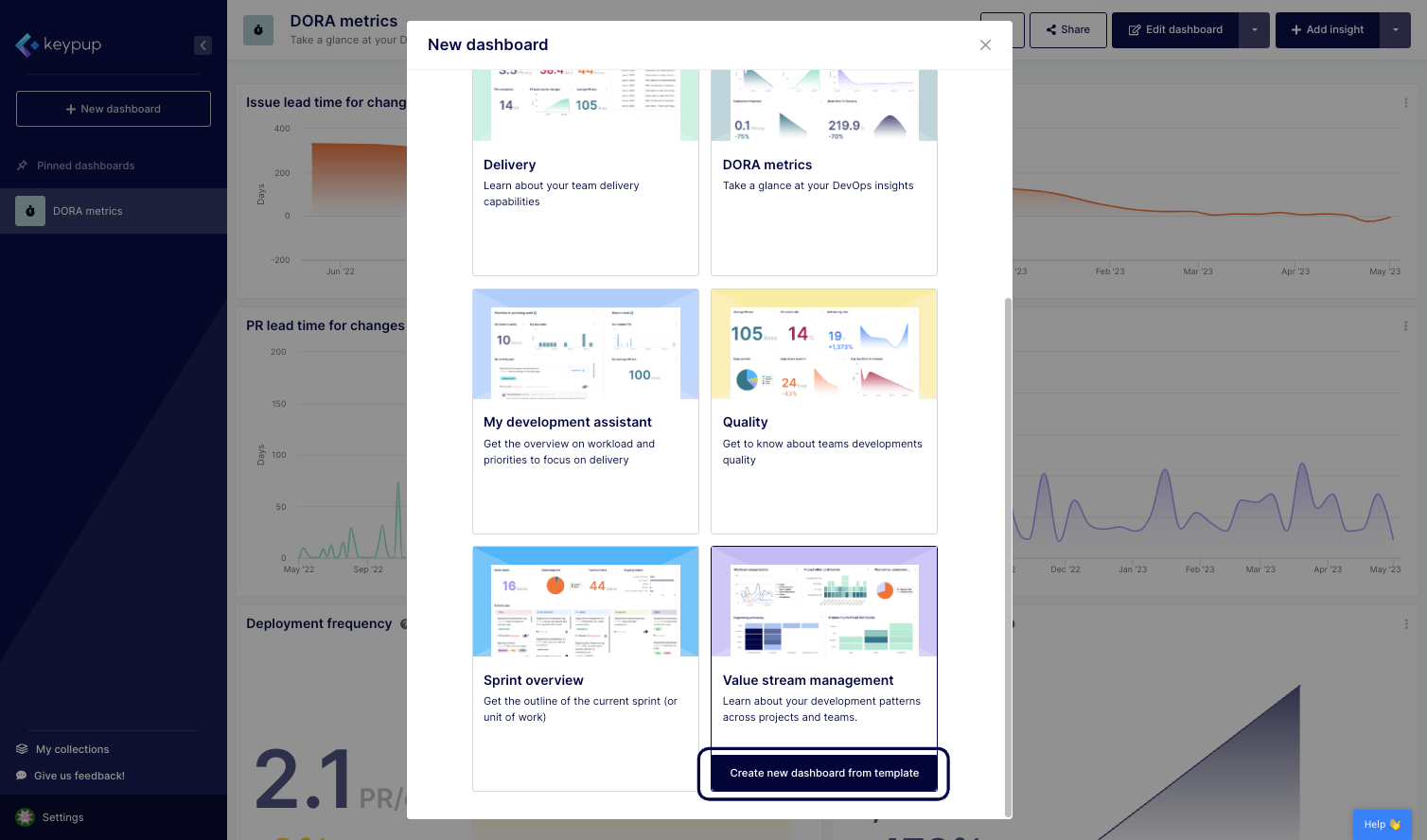
2. From there, you can select a dashboard from a variety of templates or start with a blank dashboard. Click on the "Create new dashboard from template" located below the template of your choice. This example shows the Value stream management dashboard.
Image

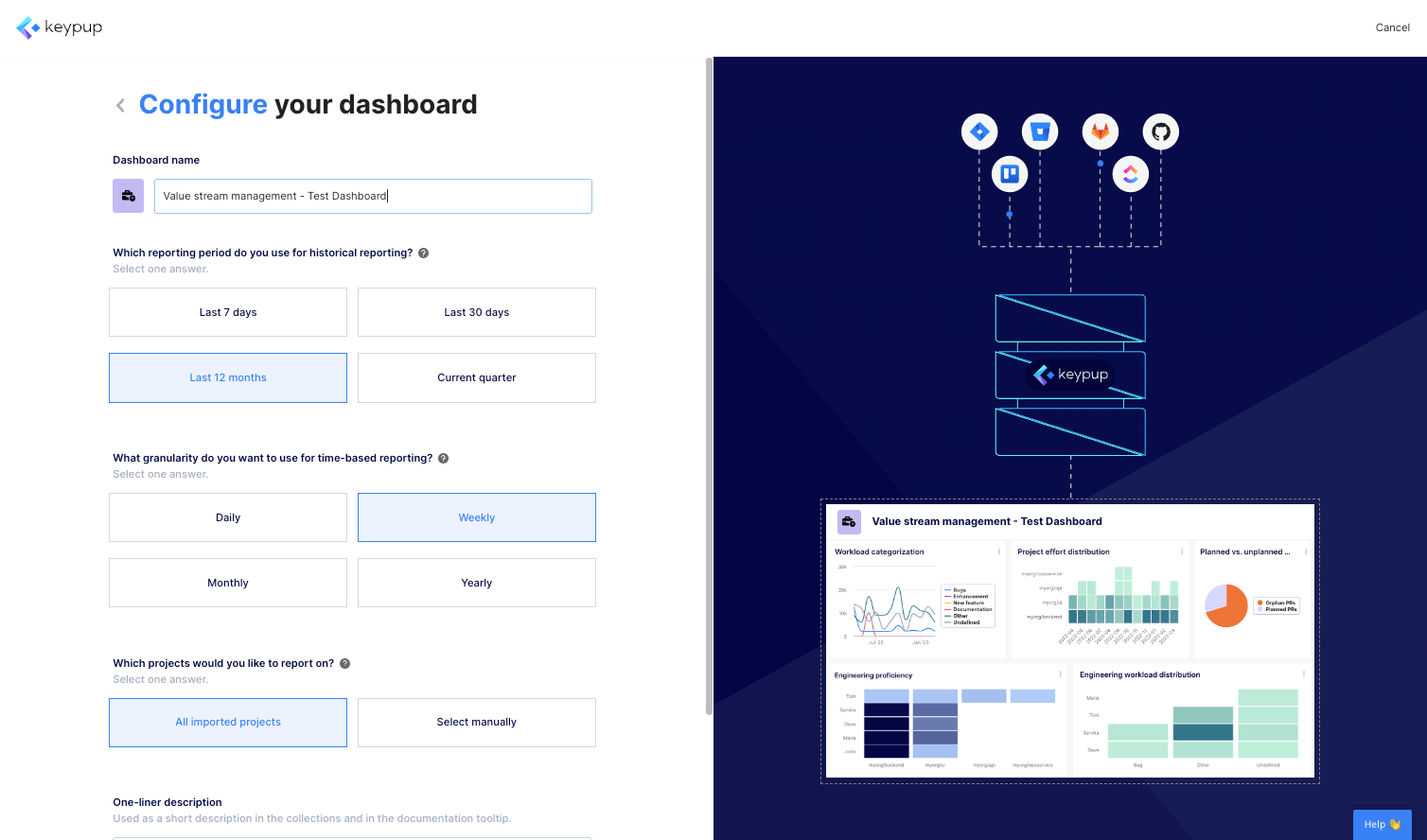
3. From this page, you can configure all the metrics contained in your dashboard by answering a few questions (such as time frame or project) and adjusting the title accordingly. The set of questions will vary based on the metrics contained in each dashboard template.
Image

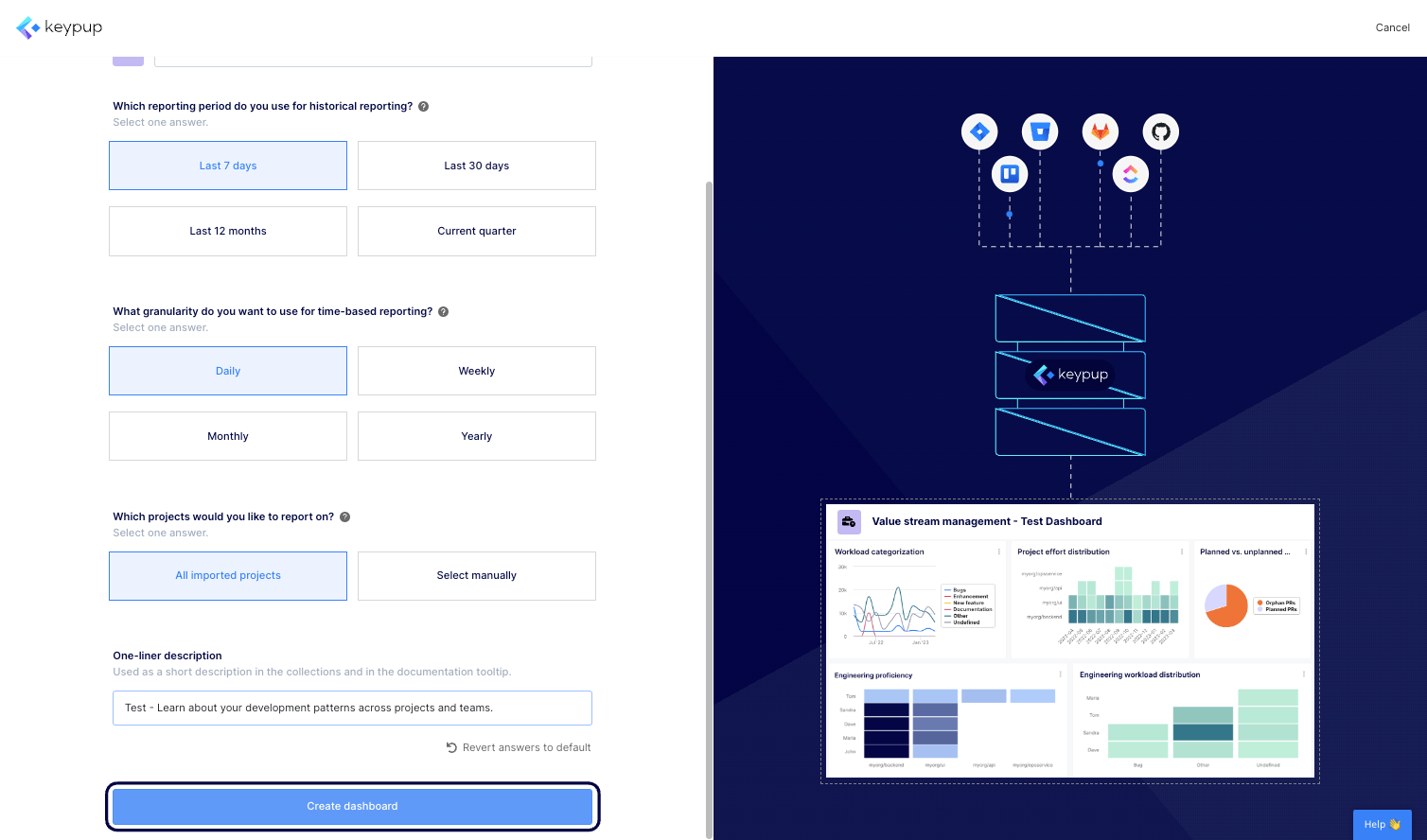
4. Once done, click on the "Create dashboard" button located at the bottom of this screen.
Image

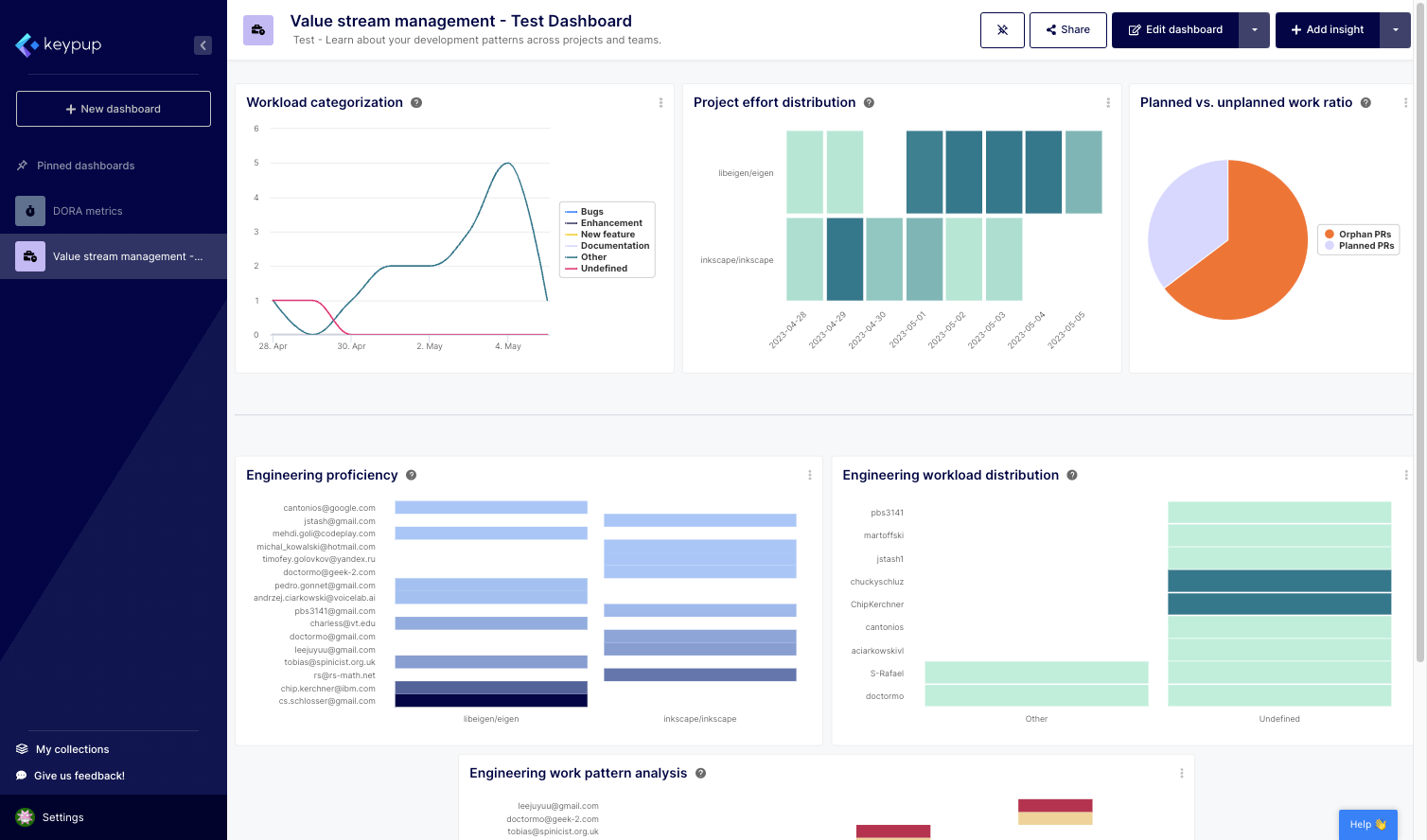
5. And that's it, your dashboard is now ready to explore and share.
Image

‍

Keypup's configuration assistant empowers users to leverage the power of data analytics without being overwhelmed by complex technicalities. With a user-friendly approach and guided configuration process, teams can quickly adopt Keypup's platform and start harnessing the benefits of software engineering dashboards.

Now that you have the knowledge and tools to create your own software engineering dashboard, you can effectively monitor and optimize your team's performance, identify areas for improvement, and make informed decisions that drive success.

Take advantage of Keypup's configuration assistant today, and unlock the full potential of your software engineering metrics. By embracing data-driven insights, you can enhance collaboration, improve productivity, and propel your organization toward greater achievements.


Ready to Transform Your Analytics?

Join teams already using AI to make data-driven decisions faster than ever.

Most Recent Articles

Merge Hell: How Long-Lived Branches Quietly Slow Down Enterprise Delivery

Merge Hell: How Long-Lived Branches Quietly Slow Down Enterprise Delivery

Your median cycle time looks healthy, yet every release still ends in merge conflicts, rebases and big-bang reviews. Learn what engineering leaders on Reddit say about long-lived branches and the trunk-based vs GitFlow debate at enterprise scale, and how Keypup MCP uses pull request dates, target branches, commits, reviews and mergeability to measure branch lifetime, find where branches live longest and land aging work before it drifts into conflict.

Stephane Ibos
6 Best Engineering Metrics Tools for Benchmarking (2026)

6 Best Engineering Metrics Tools for Benchmarking (2026)

Compare the 6 best engineering metrics tools for multi-team benchmarking in 2026 — Keypup, LinearB, Swarmia, Jellyfish, Faros and Appfire Flow — on cross-team benchmarking, org-level rollups, DORA Metrics, Git-to-ticketing linking, custom KPIs, AI capabilities and data security. See how to compare teams on equal terms and find where your delivery process is broken.

Liam Davis
The PR Graveyard: How Much Engineering Work Dies Before It Merges?

The PR Graveyard: How Much Engineering Work Dies Before It Merges?

In large engineering organizations, thousands of pull requests are closed without merging or left to go stale every year, and nobody measures the cost. Learn what engineering leaders on Reddit say about abandoned pull requests, and how Keypup MCP uses pull request state, review, size, mergeability and Jira link data to size the PR graveyard, find where work dies, and triage stale pull requests before they are lost.

Arnaud Lachaume