How to Create an Engineering Dashboard from Scratch Using Keypup

Learn how to create a customized engineering dashboard from scratch using Keypup's platform. Highlight the metrics that matter most to your team and stakeholders, and drive your team toward success.

Celine Nabais
Celine Nabais LinkedIn
• 2 min read
How to Create an Engineering Dashboard from Scratch Using Keypup

As a tech leader, you understand the importance of having a clear and effective software data story to communicate with your team and stakeholders. However, not all metrics are relevant for every audience, and you need to be able to adapt your metrics and reports to fit your specific needs. That's where Keypup's engineering dashboards feature comes in handy. With this powerful tool, you can create a customized dashboard that meets the unique needs of your team and stakeholders from scratch or from a template.

Here are the steps to create an engineering dashboard from scratch using Keypup:

‍

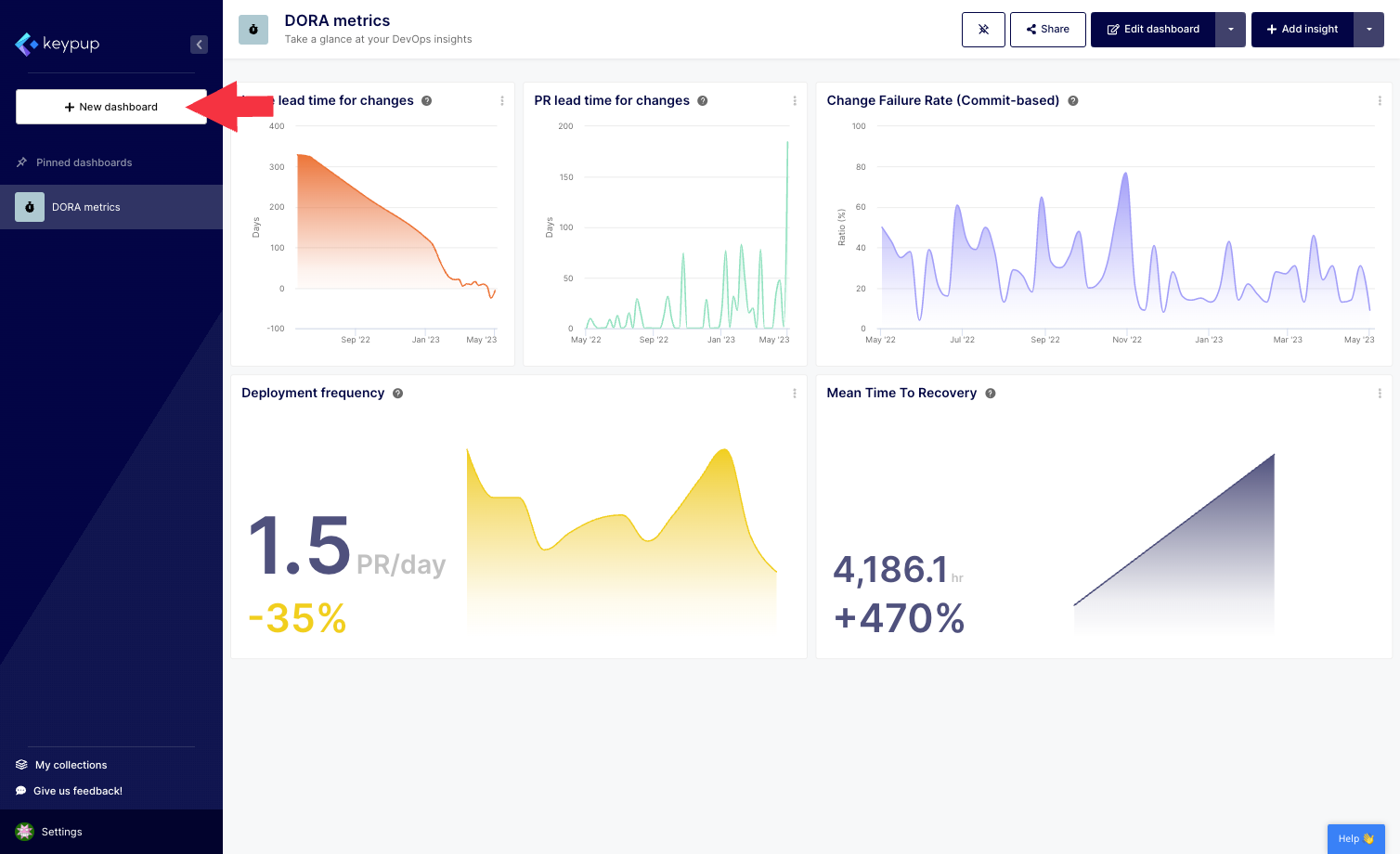
1. First, click on the "New dashboard" button located at the top of the left navigation panel.
Image

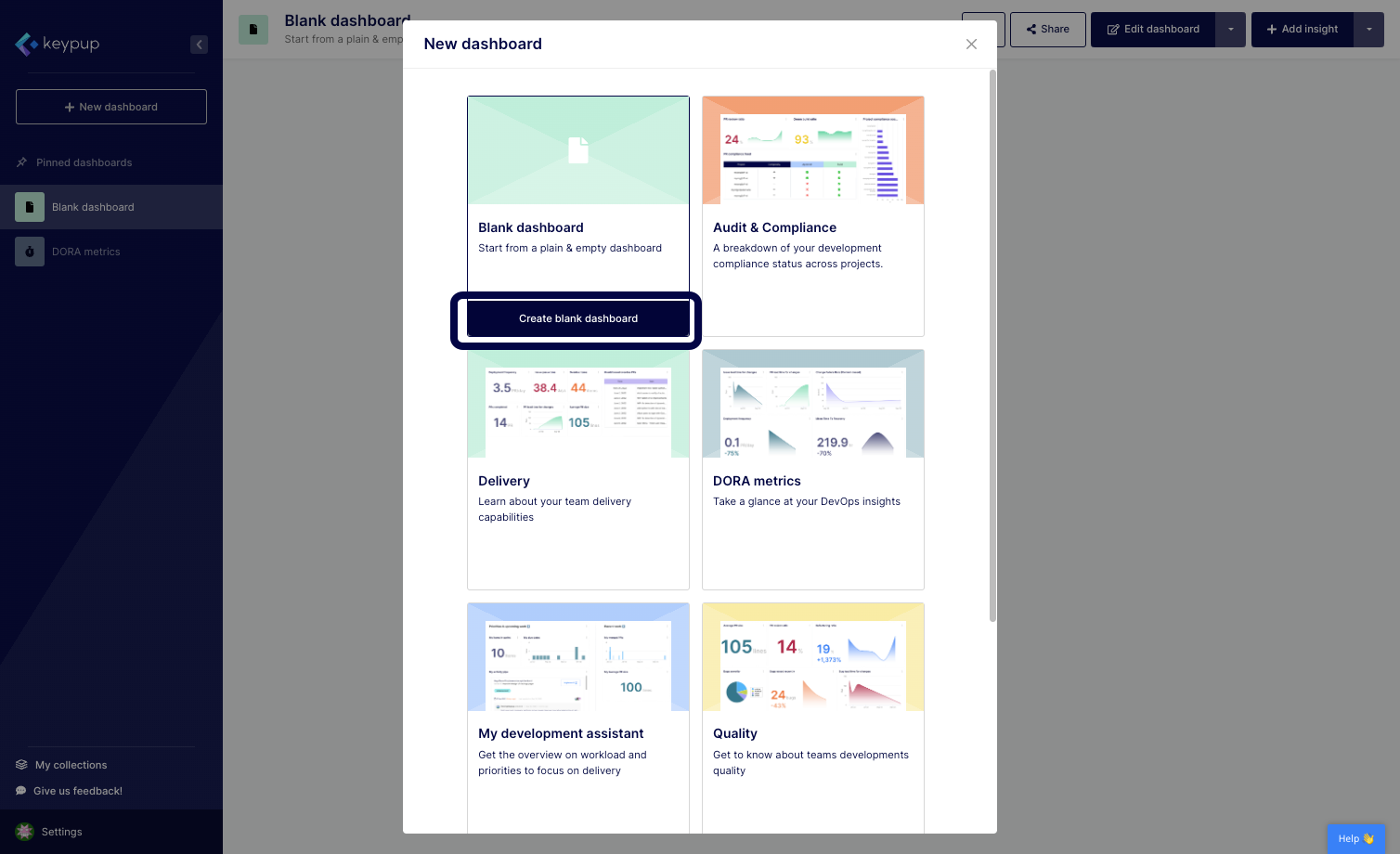
2. Select the blank dashboard option by clicking on the "Create blank dashboard" button below your choice.
Image

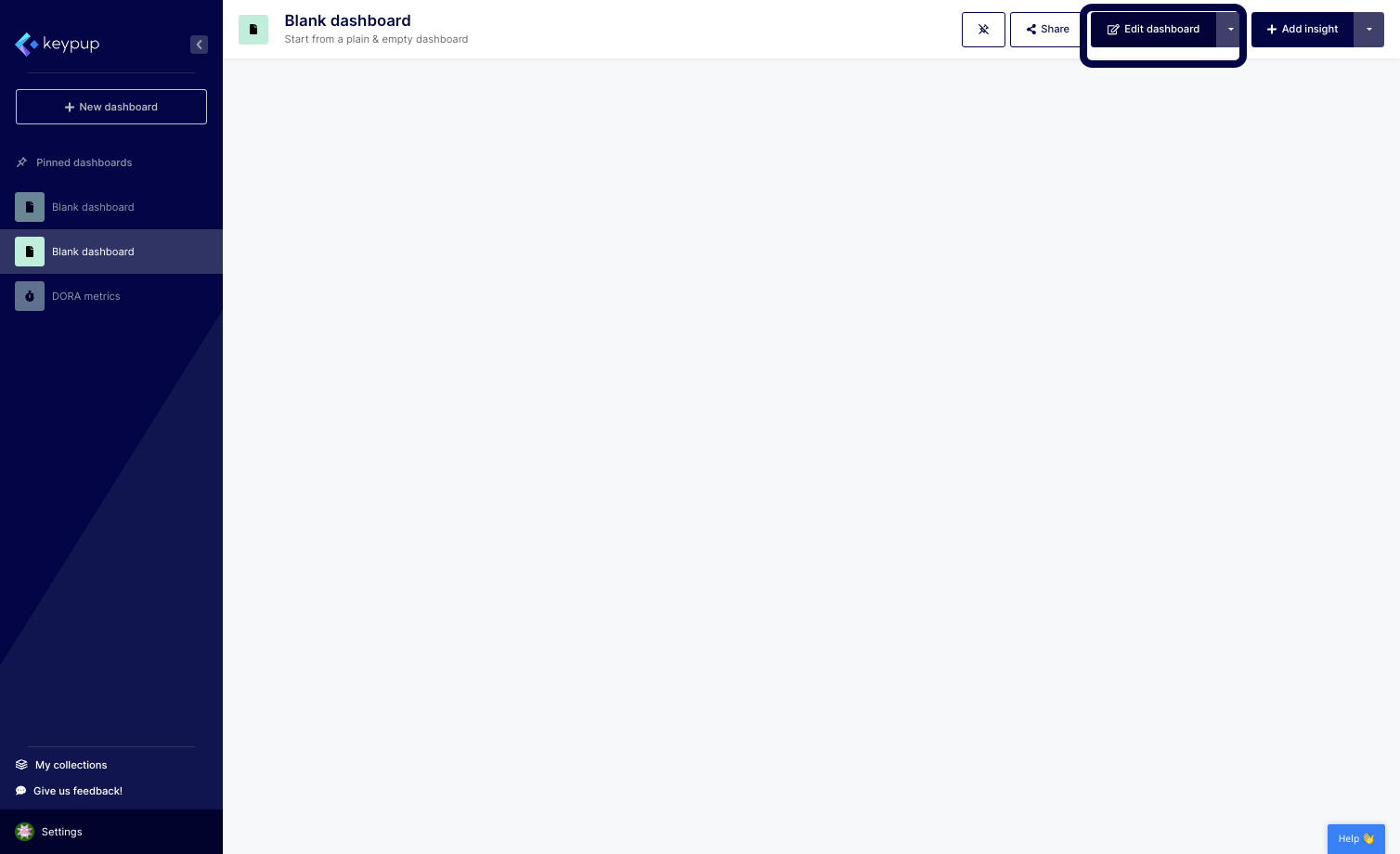
3. Your blank dashboard is populated. Click on the "Edit dashboard" button located at the top right of your screen.
Image

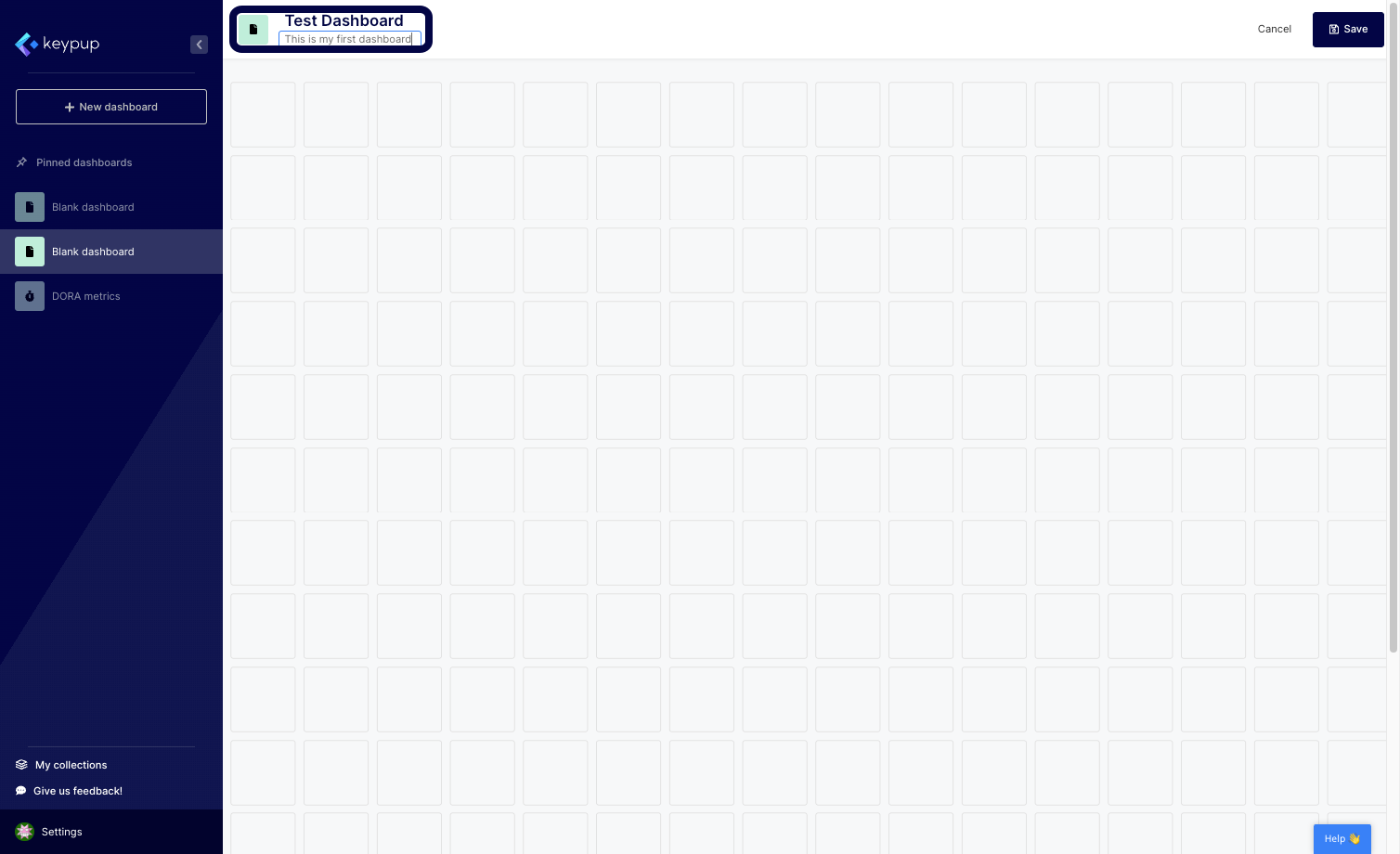
4. From here, you can edit the dashboard title, description, and image.
Image

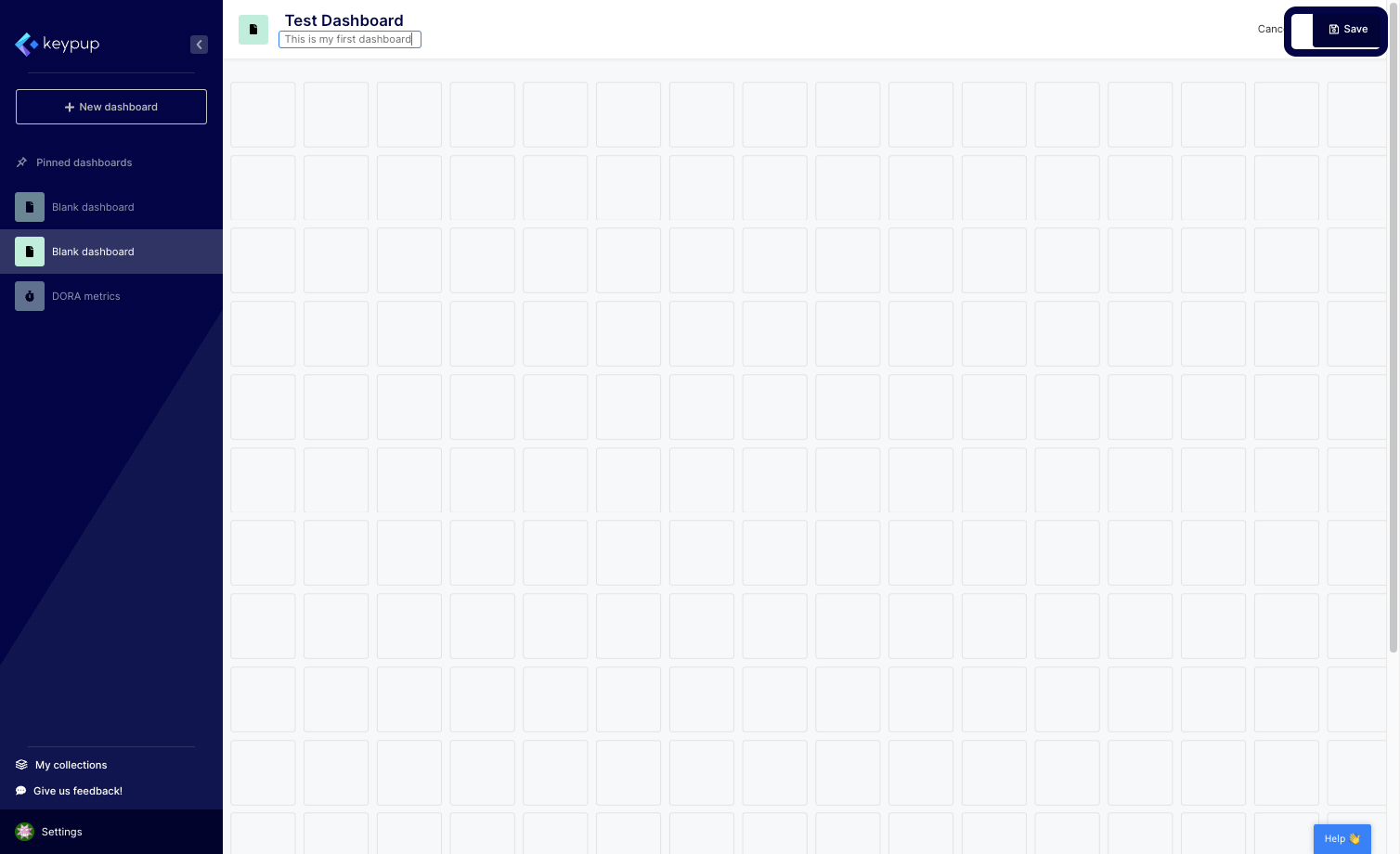
5. Once done, click on the "Save" button located at the top right of your screen.
Image

Now, your engineering dashboard is ready to be fully customized using metrics, reports, text widgets, and more.

With Keypup's engineering dashboard feature, you have the flexibility to create a dashboard that fits your unique needs. Whether you need to provide clear goals or OKRs to your team members or communicate during your board meetings, you can create a customized dashboard that highlights the metrics that matter most to your audience.

In conclusion, creating an engineering dashboard from scratch using Keypup is a simple and powerful way to communicate your software data story with your team and stakeholders. By customizing your dashboard to fit your unique needs, you can ensure that you are highlighting the metrics that matter most and driving your team towards success. Try Keypup's platform today to see how you can create a customized engineering dashboard that fits your unique needs.


Ready to Transform Your Analytics?

Join teams already using AI to make data-driven decisions faster than ever.

Most Recent Articles

Merge Hell: How Long-Lived Branches Quietly Slow Down Enterprise Delivery

Merge Hell: How Long-Lived Branches Quietly Slow Down Enterprise Delivery

Your median cycle time looks healthy, yet every release still ends in merge conflicts, rebases and big-bang reviews. Learn what engineering leaders on Reddit say about long-lived branches and the trunk-based vs GitFlow debate at enterprise scale, and how Keypup MCP uses pull request dates, target branches, commits, reviews and mergeability to measure branch lifetime, find where branches live longest and land aging work before it drifts into conflict.

Stephane Ibos
6 Best Engineering Metrics Tools for Benchmarking (2026)

6 Best Engineering Metrics Tools for Benchmarking (2026)

Compare the 6 best engineering metrics tools for multi-team benchmarking in 2026 — Keypup, LinearB, Swarmia, Jellyfish, Faros and Appfire Flow — on cross-team benchmarking, org-level rollups, DORA Metrics, Git-to-ticketing linking, custom KPIs, AI capabilities and data security. See how to compare teams on equal terms and find where your delivery process is broken.

Liam Davis
The PR Graveyard: How Much Engineering Work Dies Before It Merges?

The PR Graveyard: How Much Engineering Work Dies Before It Merges?

In large engineering organizations, thousands of pull requests are closed without merging or left to go stale every year, and nobody measures the cost. Learn what engineering leaders on Reddit say about abandoned pull requests, and how Keypup MCP uses pull request state, review, size, mergeability and Jira link data to size the PR graveyard, find where work dies, and triage stale pull requests before they are lost.

Arnaud Lachaume